Opscenter
An open-source MSP operations platform for tickets, field visits, client assets, subscriptions, time tracking, and client portals.
Built in the open.
An open-source MSP operations platform for tickets, field visits, client assets, subscriptions, time tracking, and client portals.
From the repository.
OpsCenter
The all-in-one operations platform for Managed Service Providers.
Tickets · ITSM · CRM · CMDB · Planning · Clients · Contracts · Subscriptions · Devices · Knowledge base · Timesheets, in one premium, bilingual workspace.
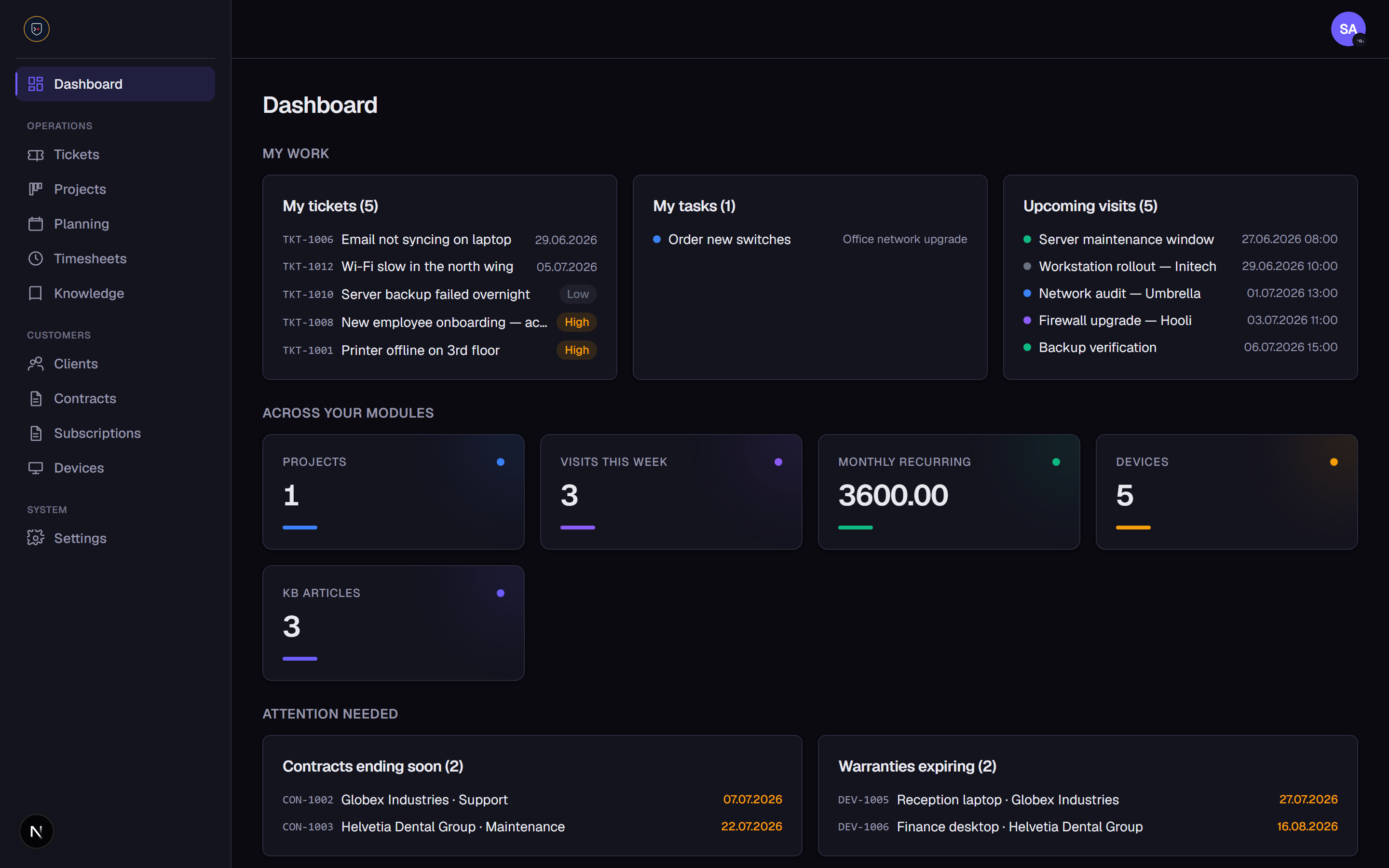
OpsCenter is a single-tenant SaaS that runs the day-to-day of an MSP: handle support tickets with ITSM practices, drive sales through a CRM pipeline, map your estate in a CMDB, schedule field visits, monitor devices with a deployable agent, track client assets and subscriptions, log billable time, and give clients their own portal, all behind a granular role-based permission system, with a full audit trail, in English or French, with a light or dark theme.
✨ Highlights
- 🎫 Ticketing with a Kanban board, SLA/due dates, tags, threaded conversations and an automatic activity log
- 🛠️ ITSM practices, incident, service request and change ticket types
- 🔄 Change management with risk/impact, planned windows, implementation/rollback plans and an approval workflow
- 🐞 Problem management with root cause, workaround, known-error flag and resolution
- 🚀 Release management with versions, planned/actual dates, release notes and rollback plans
- 🧱 CMDB, configuration items with types, relationships and device links
- 💼 CRM, leads and an opportunity pipeline (board + analytics), per-deal activity timeline and email
- 🗓️ Planning on a full month calendar with one-off and recurring visits
- 👥 Clients & contacts with a customer-facing portal
- 📄 Contracts & subscriptions with renewals, warranties and support tracking
- 🖥️ Device / asset management with a deployable monitoring agent (live CPU/RAM/disk/OS metrics)
- 📚 Knowledge base (Markdown), publishable to the client portal
- ⏱️ Timesheets & billing with approval workflow and per-client PDF reports
- 🧾 Audit log recording who did what and when across the app
- 🔐 Roles & permissions, 2FA, and a self-service password reset
- 🌍 Bilingual (EN/FR) per user · 🌗 light / dark theme
- 🧩 Toggleable modules and configurable taxonomies everywhere
📸 Features
Dashboard
Your personalized starting point: a My work panel (tickets, tasks and visits assigned to you), KPI cards across every enabled module, an Attention needed section surfacing contracts ending soon, warranties expiring and subscriptions renewing, plus tickets-by-status and recent activity.
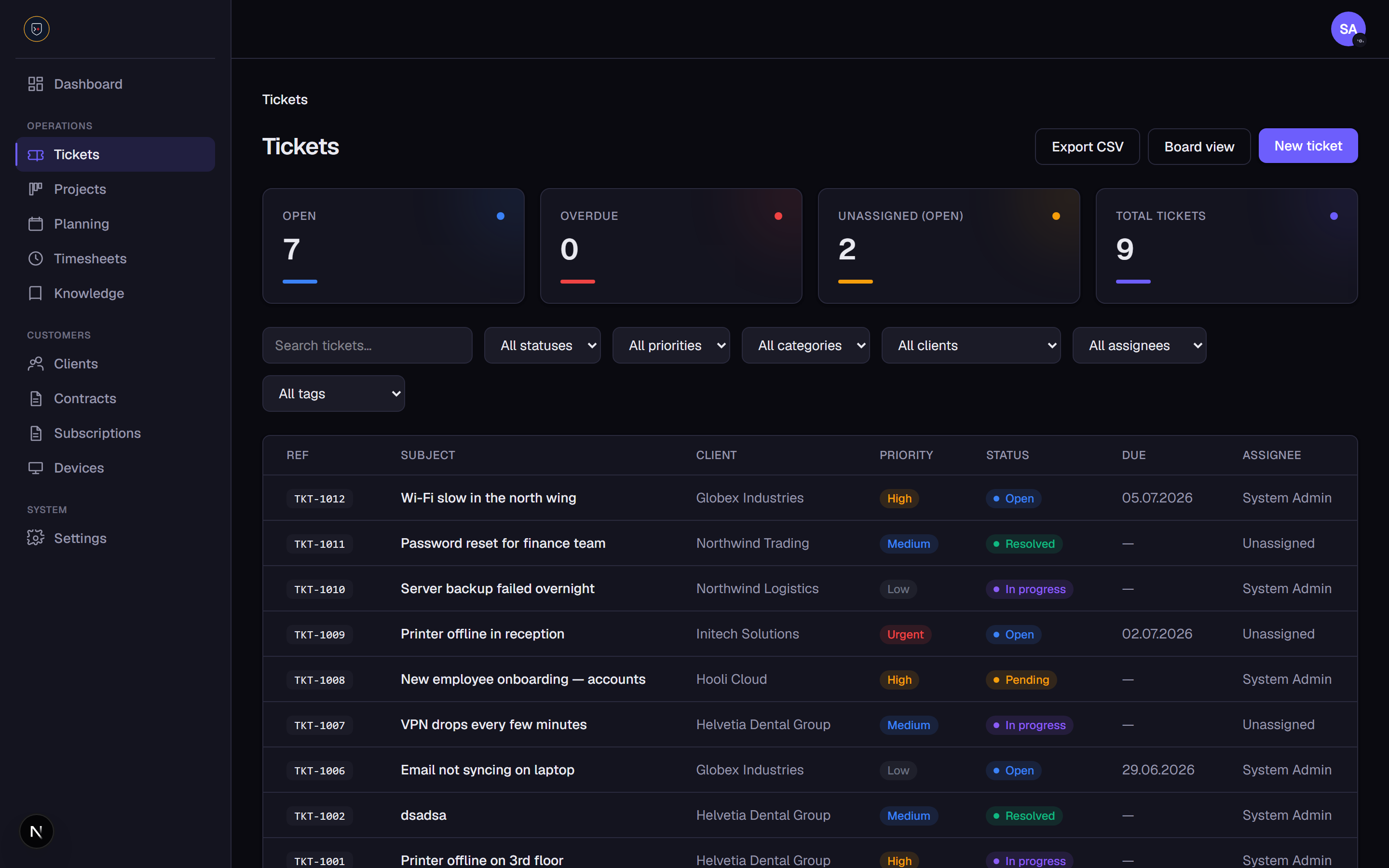
Ticketing
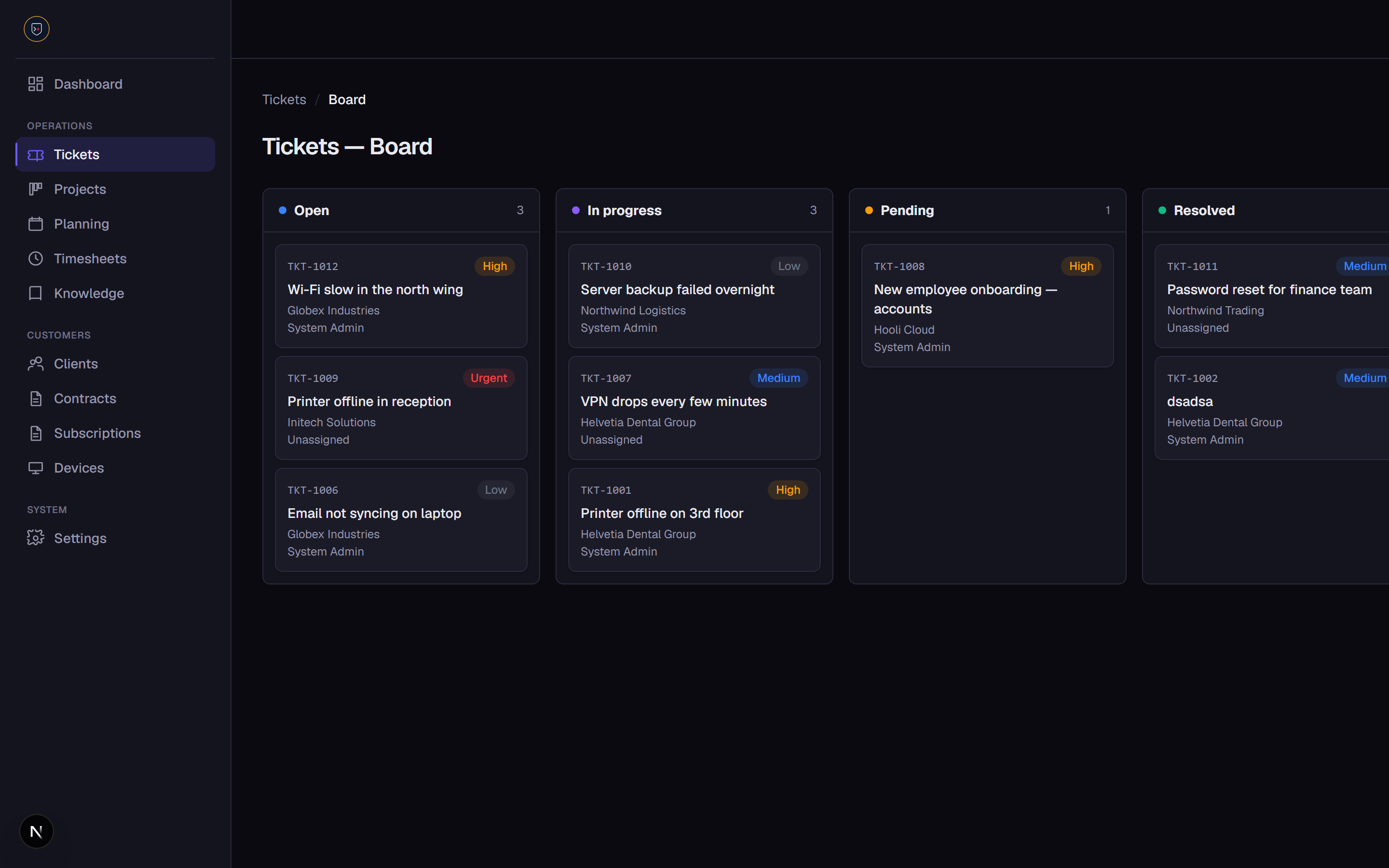
Tickets are linked to clients with status, priority, configurable category, tags, due dates (with overdue flagging) and friendly reference numbers (TKT-####). Work them in a filterable list with KPIs or a drag-and-drop Kanban board. Each ticket has a threaded comment conversation, an automatic activity timeline, optional email notifications, and inline auto-saving controls.
ITSM: change, problem & release management
Classify tickets by type (incident, service request, change) to align with ITSM practice, backed by three dedicated (optional) modules:
- Change Management (
CHG-####), configurable type and status, risk/impact, a planned window, implementation and rollback plans, assignee and client, plus an approve / reject workflow gated by its own permission. KPIs for pending approval, upcoming and approved. - Problem Management (
PRB-####), track the problems behind recurring incidents with priority (low → critical), impact, root cause, workaround, a known-error flag and a resolution (which marks the problem resolved). KPIs for open, known errors and resolved. - Release Management (
REL-####), plan and track releases with a version, type and status, owner, client, planned and actual release dates, release notes and a rollback plan. KPIs for planned, upcoming and released.
CRM & sales pipeline (optional module)
Capture leads (LEAD-####) with source, status, owner, contact details and estimated value, and drive opportunities (OPP-####) through a configurable pipeline with stages, monetary value, win probability, owner, expected close date and a won/lost outcome. Convert a qualified lead into a client in one click, carrying over its company and contact details.
The pipeline is a drag-and-drop Kanban board (with per-stage deal counts and value) or a list, with overdue deals flagged. A tabbed view (Pipeline / Leads / Analytics) surfaces KPIs, open deals, pipeline value, weighted forecast, won deals and active leads, plus an Analytics tab with win rate, average deal size, average sales cycle and pipeline-by-stage. Each opportunity has an activity timeline (notes plus an automatic history of stage/outcome changes), and you can email an opportunity's client contact or a lead directly from the record when SMTP is configured. CRM KPIs and deals closing soon also surface on the dashboard.
CMDB / configuration management (optional module)
Map your IT estate as configuration items (CI-####), servers, applications, services and network gear, with configurable type and status, owner, environment, location, client, an optional linked monitored device and CI-to-CI relationships, all filterable with KPIs.
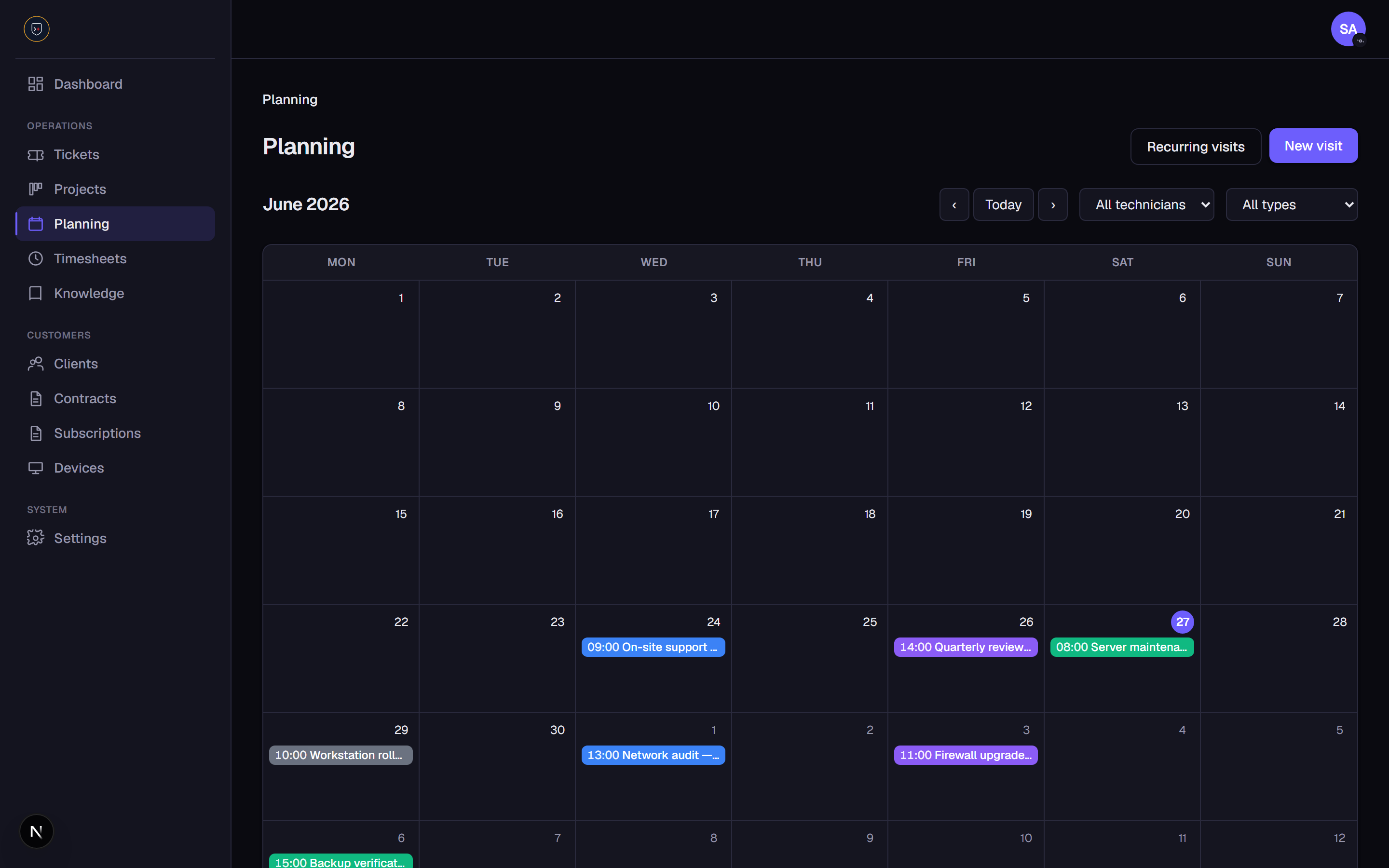
Planning
Schedule one-off and recurring visits for technicians on a month calendar with localized month/weekday names, colored chips per visit type, today highlighting and month navigation. Recurring templates (daily / weekly / monthly) generate dated occurrences you can reschedule, complete or cancel individually.
Clients & contacts
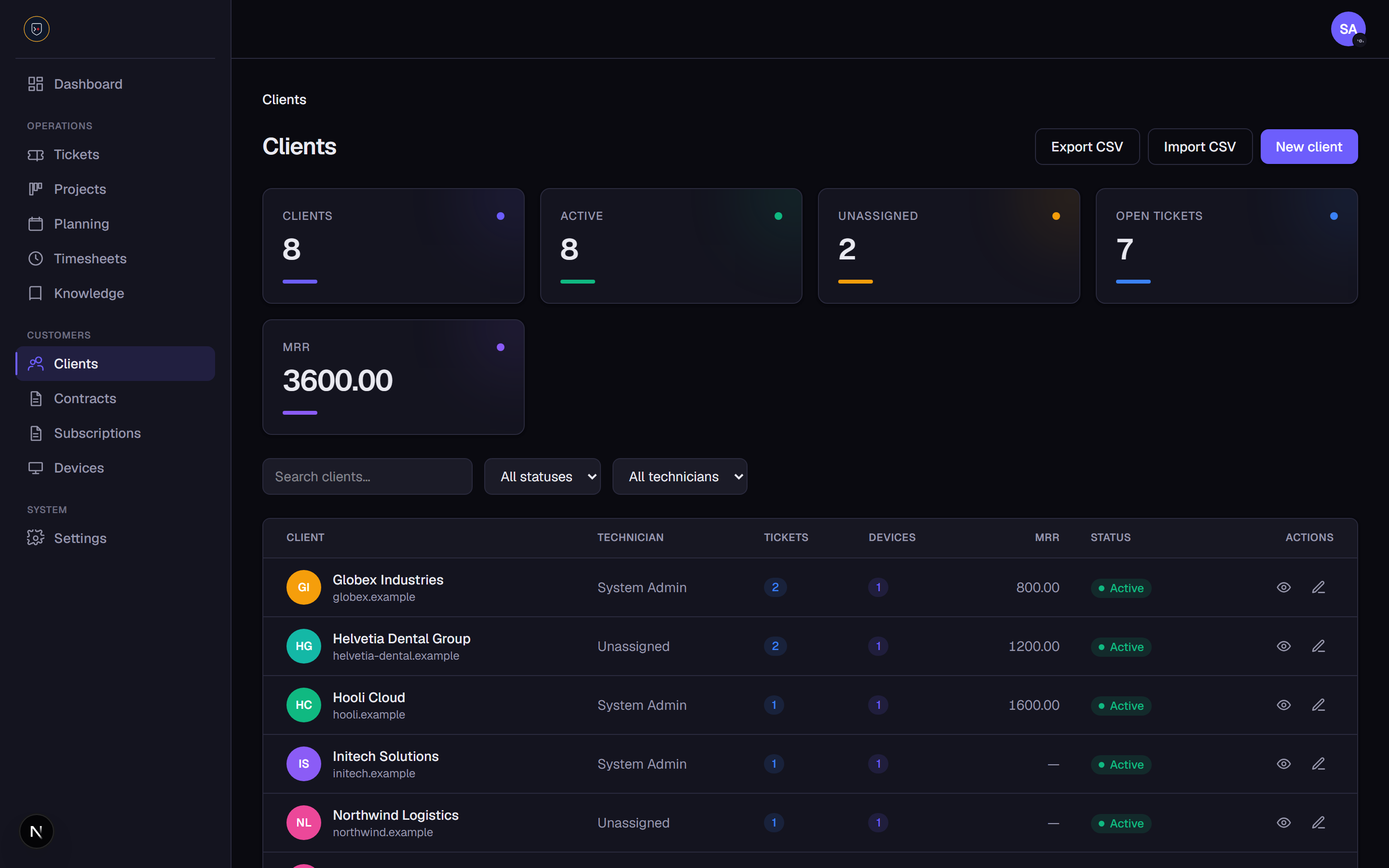
Manage clients with search and status/technician filters. Each row shows an avatar, key chips (open tickets, devices, monthly recurring revenue) and a status pill. The client detail aggregates tickets, projects, visits, contracts, subscriptions, devices and contacts. Import and export clients as CSV.
Contracts & subscriptions
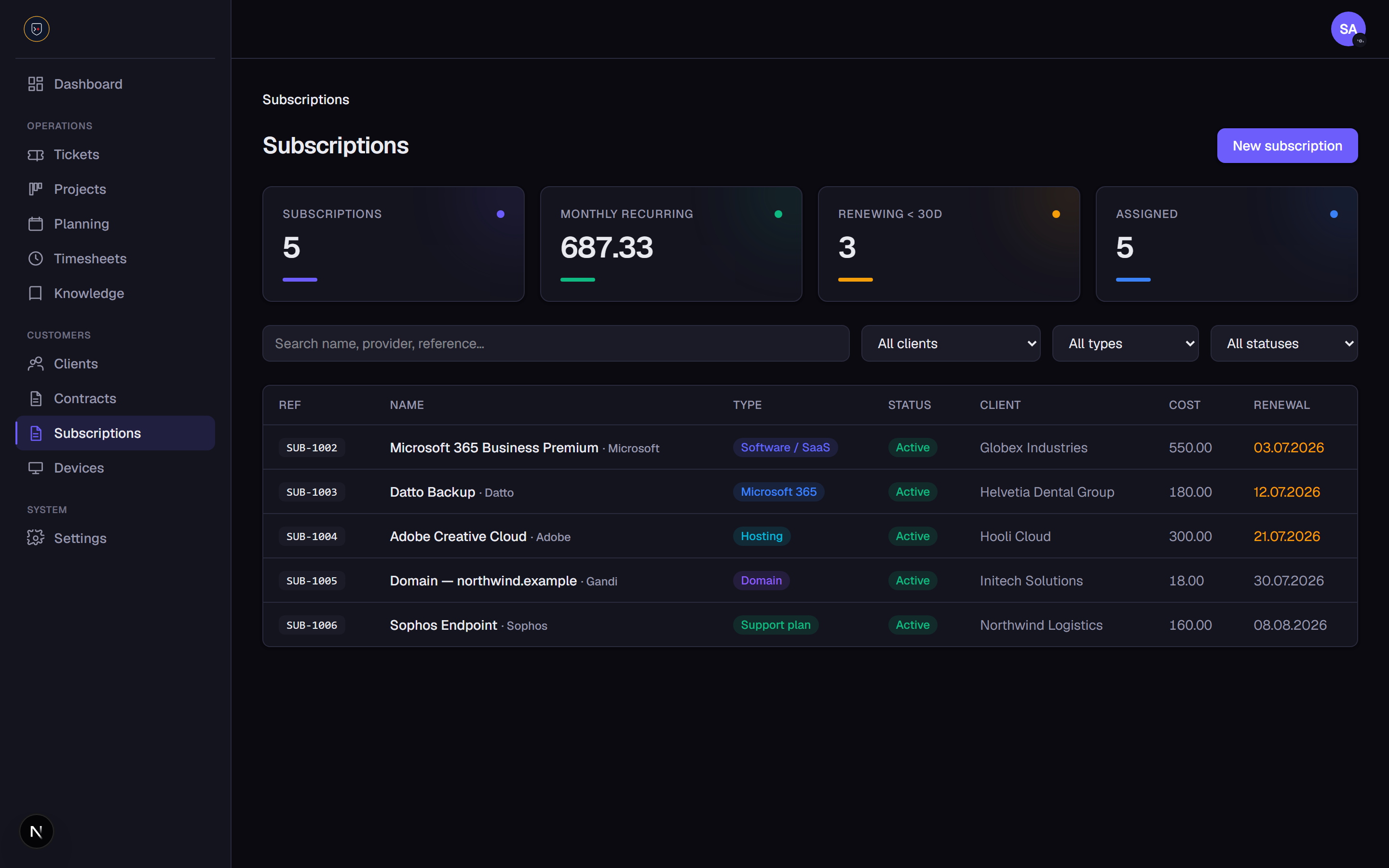
Track contracts (type with a default hourly rate, status, value, billing cycle and an included-hours quota that shows live usage vs the timesheets) and subscriptions (renewals, warranties, support plans, provider, cost, seats, renewal and coverage dates, auto-renew). Both surface KPIs and feed the dashboard's renewal/expiry alerts.
Devices & assets, with a monitoring agent
Inventory client and internal devices with configurable type and status, serial / manufacturer / model, hostname, purchase and warranty dates, and client assignment, with warranty-expiring alerts and links to related tickets. Each device has a detail page with live system metrics (online/offline status, OS, CPU, memory, disk, IP, last seen) shown as usage gauges. Generate a per-device token and deploy the provided PowerShell (Windows) or bash (Linux/macOS) agent on the workstation; it reports metrics to a token-authenticated endpoint.
Knowledge base
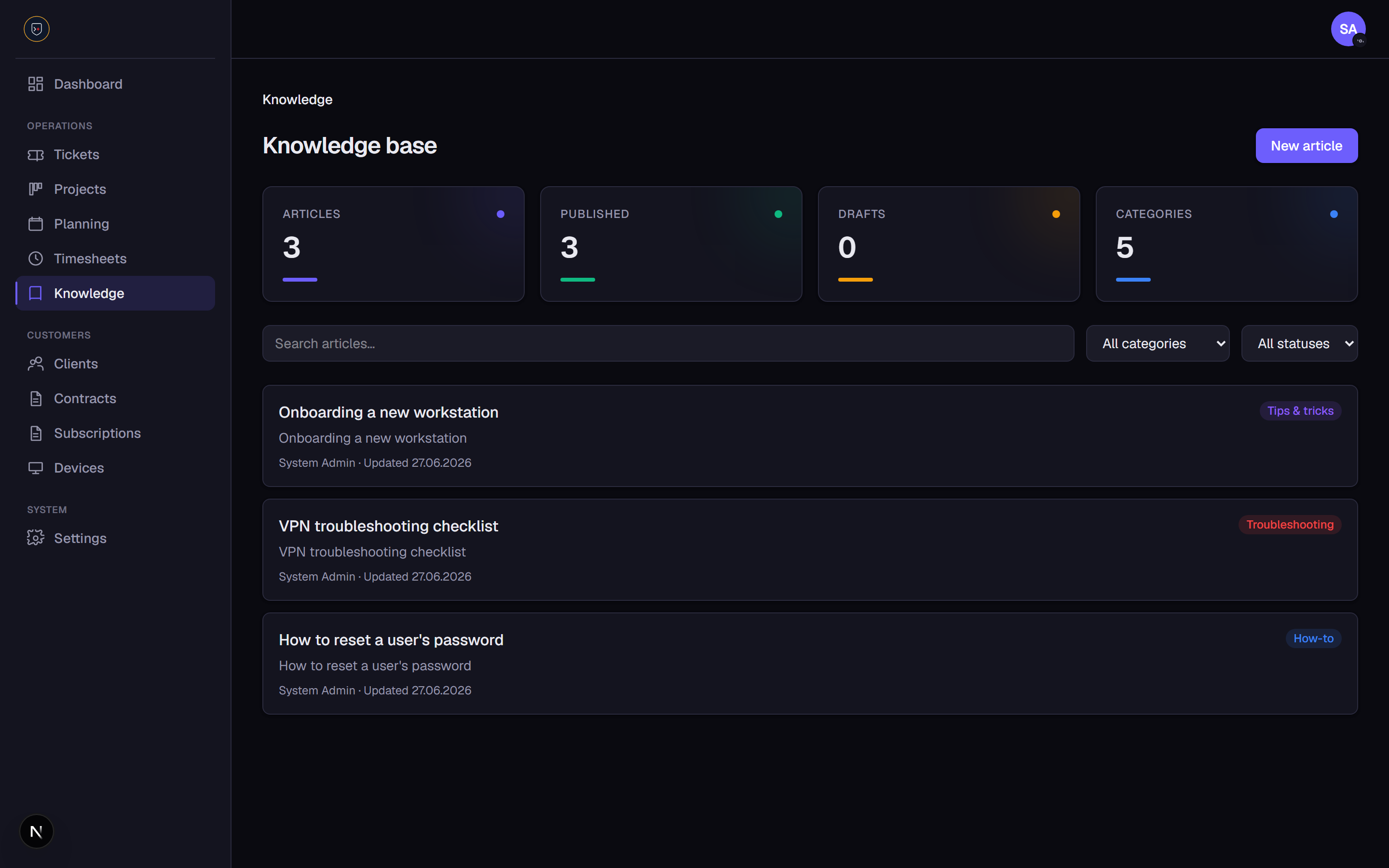
Write internal articles in Markdown (how-tos, troubleshooting, tips, policies) with configurable categories, draft / published status and search. Publish selected articles to the client portal so customers can self-serve.
Timesheets & billing (optional module)
Log time against tickets, tasks, visits or a client via a manual form or a live start/stop timer. Each entry carries a billable flag and an hourly rate (inherited from the client's contract type). A submit → approve/reject workflow feeds a per-client monthly report you can download as a PDF or email as an attachment.
Client portal
A separate external area (/portal) where client contacts sign in with their own isolated session to view their company's tickets, open new ones, reply on the conversation, and browse published knowledge articles, strictly scoped to their own client, with per-contact capabilities (view / create / comment) and their own language choice.
Roles & permissions
A granular permission catalog with per-route guards. Ships with three starter roles, Admin (full access), Manager (runs operations and the team, no system configuration) and Technician (day-to-day work, no access to settings), all editable, plus a full permission matrix to define your own.
Configurable taxonomies
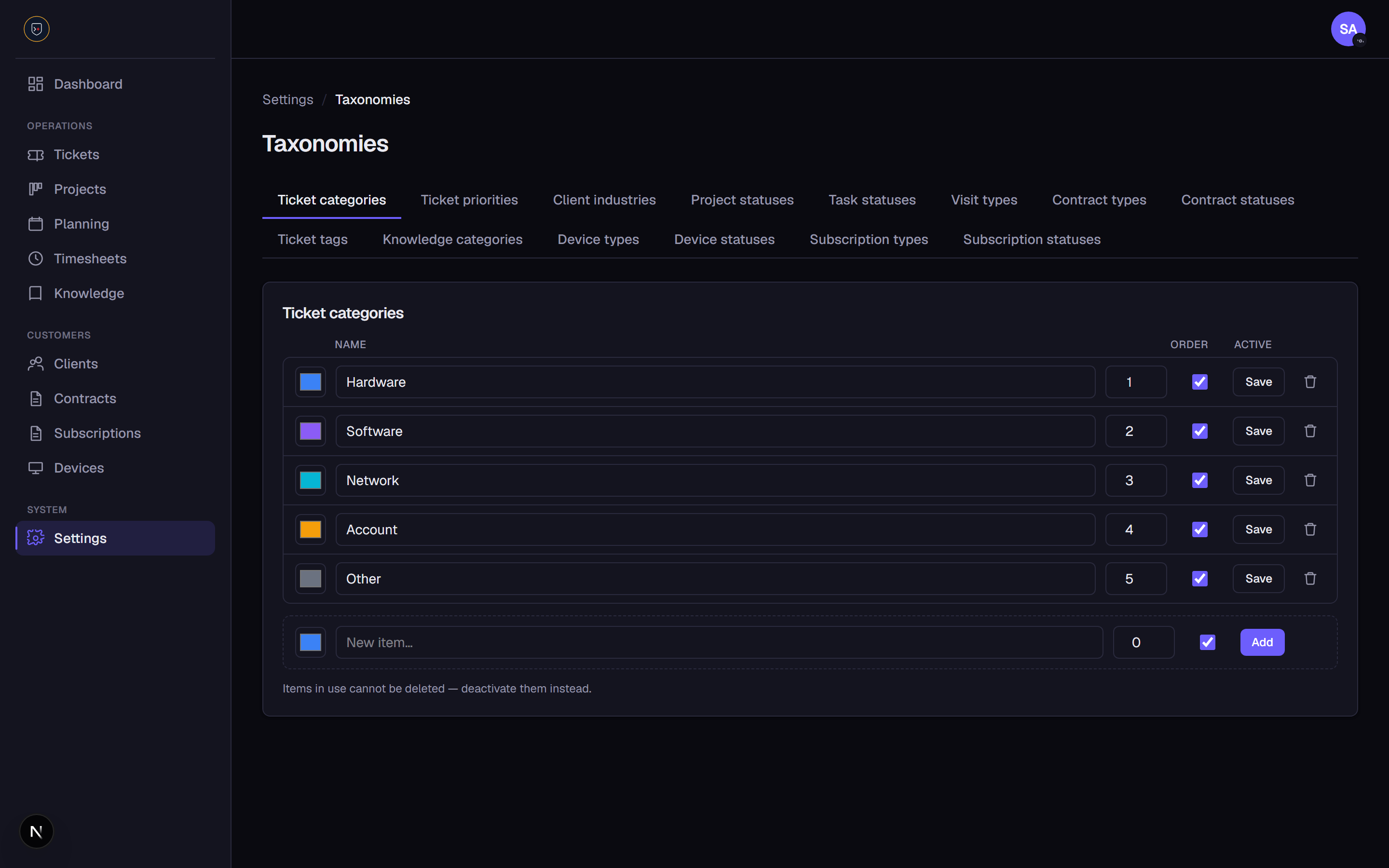
Categories, priorities, statuses, types and tags across every module are database-backed and editable in Settings → Taxonomies, color, order and active state included.
Bilingual & theming
Every user picks their own language (English / French) and light / dark theme from the avatar menu in the top bar; the choice is remembered and applied instantly across the app and the client portal.
Audit log
A chronological record of who did what and when across the app, with entity/action filters and search. Actions are recorded best-effort across clients, devices, subscriptions, contracts, knowledge articles, tickets, changes, configuration items and CRM records. Gated by a dedicated "View audit log" permission.
Security
Email/password sign-in with signed-cookie sessions and route protection, self-service password reset (emailed, time-limited, single-use hashed tokens), optional two-factor authentication (TOTP authenticator app with backup codes) and an organization-wide enforce-2FA policy.
🧰 Tech stack
Next.js (App Router, Server Actions, TypeScript) · PostgreSQL · Prisma · Tailwind CSS · Docker · custom session auth (argon2 + jose) · Vitest.
🚀 Getting started
Prerequisites: Node.js 20 and Docker Desktop.
Copy .env.example to .env and fill in:
| Variable | Description |
|---|---|
DATABASE_URL | PostgreSQL connection string (set by Docker). |
AUTH_SECRET | Secret used to sign session JWTs (≥ 32 chars). |
ADMIN_EMAIL | Email for the bootstrap admin (used by the seed). |
ADMIN_PASSWORD | Password for the bootstrap admin (used by the seed). |
npm install                 # 1. install dependencies
docker compose up -d db     # 2. start PostgreSQL
cp .env.example .env        # 3. configure environment
npx prisma migrate dev      # 4. apply migrations
npm run db:seed             # 5. seed permissions, roles & the admin user
npm run dev                 # 6. start the app
The app runs at http://localhost:3000. Sign in at /login with the seeded admin:
- Email:
admin@opscenter.local(or yourADMIN_EMAIL) - Password:
ChangeMe123!(or yourADMIN_PASSWORD)
🧪 Tests
npm run test
📚 Documentation
- Docker deployment:
docs/deployment-docker.md - ADR, custom session auth:
docs/decisions/0001-custom-session-auth.md - Changelog:
CHANGELOG.md
Why it exists.
The code is public and the scope stays focused. Read the README, open an issue, or send a pull request if you have an idea.