KB5073379 - Windows Server 2025 Security Update (OS Build 26100.32230)
January 13, 2026 cumulative security update for Windows Server 2025, delivering OS build 26100.32230 with security fixes, quality improvements, and a bundled servicing stack update.
Summary
KB5073379 is the January 2026 cumulative security update for Windows Server 2025, released on January 13, 2026, producing OS build 26100.32230. It incorporates the latest security fixes plus non-security improvements carried over from the previous month's optional preview release. A servicing stack update (KB5072725, version 26100.32131) is bundled with this package. See Microsoft Support for the official page.
Highlights
- Starting with the January 2026 release, Windows Server 2025 uses its own KB identifiers and build numbers, separate from those for Windows 11 versions 24H2 and 25H2, to improve clarity for administrators.
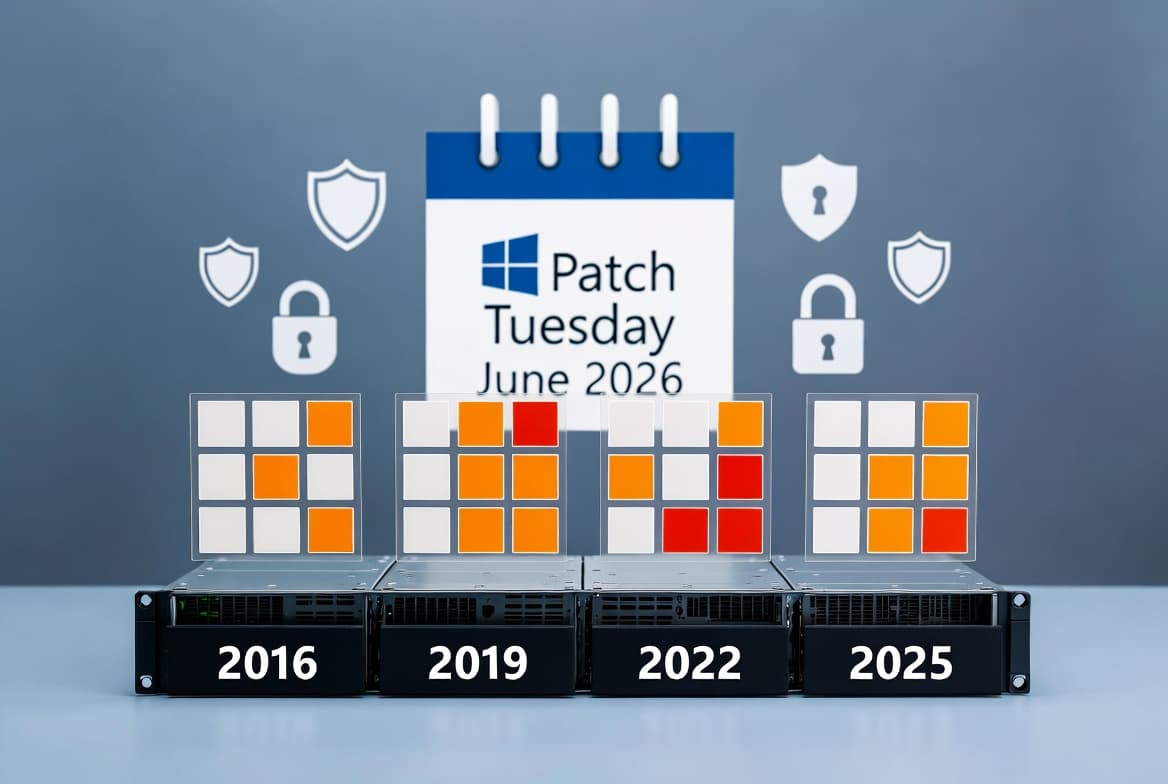
- Secure Boot certificates on most Windows devices are set to expire beginning June 2026. Microsoft is phasing in updated certificates through Windows Update; affected devices continue to start and receive standard updates normally.
Improvements and fixes
- Compatibility: Several legacy modem drivers have been removed - agrsm64.sys (x64), agrsm.sys (x86), smserl64.sys (x64), and smserial.sys (x86). Modem hardware that depends on these specific drivers will no longer function after this update.
- Credentials autofill: A new security hardening behavior limits certain applications from autofilling credentials during remote support sessions or automated authentication workflows. Credential dialogs will no longer respond to virtual keyboard input sent by remote desktop or screen-sharing tools.
- Networking (known issue fix): An issue causing RemoteApp connection failures in Azure Virtual Desktop (AVD) environments - introduced by the December 2025 update KB5072033 - has been resolved.
- Servicing (known issue fix): Devices that installed the out-of-band update KB5070881 and subsequently stopped receiving Hotpatch updates will resume Hotpatch delivery after installing this January 2026 baseline update.
- Secure Boot: Quality updates now include a subset of high-confidence device targeting data to identify devices eligible for automatic delivery of updated Secure Boot certificates. Certificates are delivered only after successful update signals are confirmed, ensuring a phased rollout.
- Windows Deployment Services (WDS): WDS will no longer support hands-free deployment functionality by default. Microsoft has published a dedicated hardening guidance document for IT administrators.
- WinSqlite3.dll: The Windows core component WinSqlite3.dll has been updated. Some security software had previously flagged this component as vulnerable. Note that WinSqlite3.dll is distinct from sqlite3.dll found in application directories; if security software continues to flag sqlite3.dll, the developer of the application using it should be contacted for an update.
Known issues
WSUS does not display synchronization error details
Symptom: After installing KB5070881 or later updates, Windows Server Update Services (WSUS) no longer displays synchronization error details within its error reporting UI. This functionality was temporarily removed to address the Remote Code Execution vulnerability CVE-2025-59287.
Workaround: No workaround is listed. The removal is intentional as part of addressing the noted vulnerability.
Connection and authentication failures in Azure Virtual Desktop and Windows 365
Symptom: After installing the January 2026 security update (KB5073379), credential prompt failures occurred during Remote Desktop connections using the Windows App on Windows client devices, affecting Azure Virtual Desktop and Windows 365. The issue impacts the Windows App on specific Windows builds and causes sign-in failures.
Workaround: This issue is addressed in KB5077793.
Apps might become unresponsive when saving files to cloud-based storage
Symptom: After installing this update, some applications may become unresponsive or encounter unexpected errors when opening or saving files to cloud-based storage such as OneDrive or Dropbox. In certain Outlook configurations where PST files are stored on OneDrive, Outlook may hang and fail to reopen unless the process is terminated or the system is restarted. Users may also see missing sent items or previously downloaded emails being re-downloaded.
Workaround: Contact the application developer for alternative file-access methods. For Outlook-specific scenarios, moving the PST files out of OneDrive should resolve the issue - see Microsoft's guidance on how to remove an Outlook .pst data file from OneDrive. Email accounts can still be accessed via webmail if the provider supports it. Microsoft states it is actively working on a resolution.
How to get this update
The SSU (KB5072725) is combined with this cumulative update, so no separate SSU installation is required beforehand.
- Windows Update / Microsoft Update: The update downloads and installs automatically.
- Windows Update for Business: Deploys automatically in accordance with configured policies.
- Microsoft Update Catalog: Download the standalone package directly. The package contains more than one MSU file that must be installed in a specific order, or together using DISM with a shared folder path. Use the DISM
/Online /Add-Packagecommand orAdd-WindowsPackagein PowerShell, pointing to the MSU filewindows11.0-kb5073379-x64_7ba99163baad454955b9f76b1a59bef54208d9e9.msu. - WSUS: Syncs automatically when Products is set to Microsoft Server operating system-24H2 and Classification is set to Security Updates.
To remove only the LCU after installation, use DISM /online /remove-package with the LCU package name. Running wusa.exe /uninstall against the combined package will not work because the SSU is included and cannot be removed after installation.
Frequently asked questions
Why do Windows Server 2025 KB numbers now differ from Windows 11?
Starting with the January 2026 security update, Microsoft assigns Windows Server 2025 its own KB identifiers and build numbers, separate from Windows 11 versions 24H2 and 25H2. This change is intended to improve clarity for administrators managing server versus client environments. Installation and management processes remain unchanged.
What is the credentials autofill change and who does it affect?
This update introduces a hardening behavior that prevents credential dialogs from accepting virtual keyboard input from remote desktop or screen-sharing tools. This affects scenarios such as remote support sessions and automated authentication workflows. Administrators should review the linked Microsoft guidance document before deploying to environments that rely on such workflows.
Does this update affect Hotpatch delivery on Windows Server 2025?
Yes - devices that had installed the out-of-band update KB5070881 stopped receiving Hotpatch updates as a side effect. Installing this January 2026 baseline update (KB5073379) restores normal Hotpatch delivery for those affected machines going forward.
How should administrators handle the Secure Boot certificate expiration approaching in June 2026?
Microsoft is automatically delivering updated Secure Boot certificates through Windows Update in phases. Devices that have not yet received the new certificates continue to start and operate normally. IT administrators should follow the Secure Boot Playbook for Windows Server published by Microsoft and can check device status via the Windows Security app.