KB5070881 (OS Build 26100.6905): Windows Server 2025 Out-of-Band Update, October 23 2025
Out-of-band cumulative update for Windows Server 2025 (OS Build 26100.6905) released October 23, 2025, addressing a WSUS remote code execution vulnerability.
Summary
This is an out-of-band (OOB) cumulative update for Windows Server 2025, carrying OS Build 26100.6905 and released on October 23, 2025. It includes all security fixes from the October 14, 2025 security update (KB5066835) and adds a targeted fix for a remote code execution vulnerability in Windows Server Update Services (WSUS). Source: Microsoft Support.
Improvements and fixes
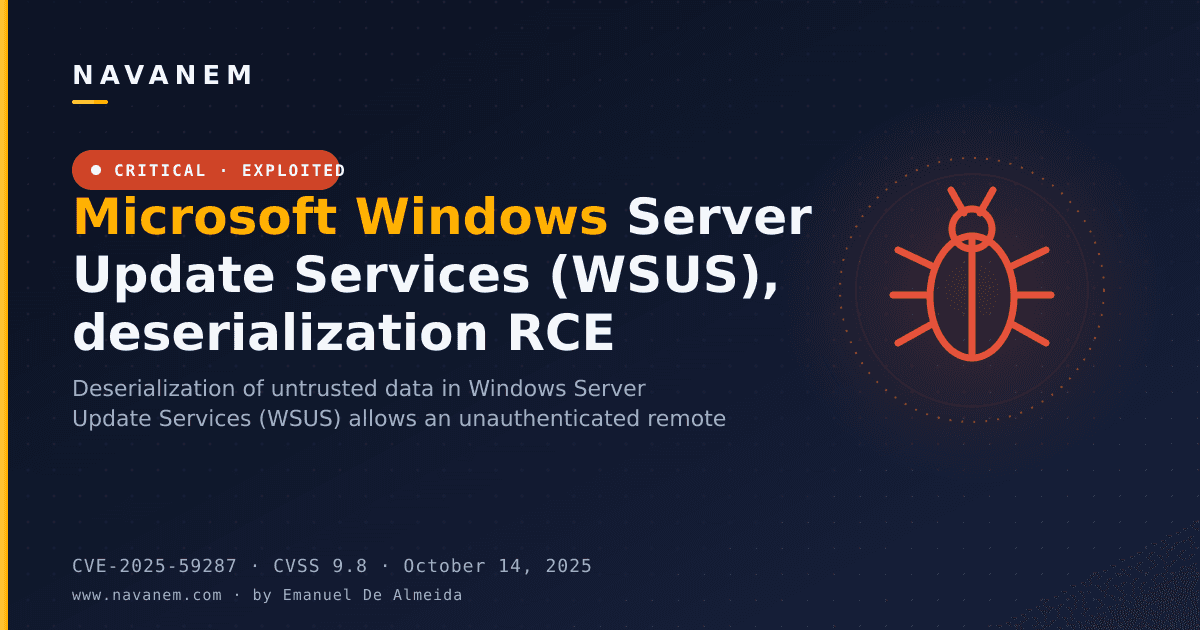
- Addresses a remote code execution (RCE) vulnerability identified in WSUS reporting web services, tracked as CVE-2025-59287. This fix applies specifically to the WSUS component on Windows Server 2025.
- Incorporates all security fixes and quality improvements from the October 14, 2025 cumulative security update (KB5066835).
- Bundles the Windows Server 2025 servicing stack update (KB5067360, version 26100.6893), which improves the reliability of the component responsible for installing Windows updates.
Known issues
Active Directory replication fails with schema mismatch
Symptom: Active Directory domain controllers running Windows Server 2025 that also hold the schema master FSMO role may allow duplicate entries in schema object attributes, including auxiliaryClass, possSuperiors, and mayContain. Affected values include msExchBaseClass, msExchContainer, and msExchVirtualDirectoryFlags. When this occurs, AD replication fails with error 8418: "The replication operation failed because of a schema mismatch between the servers involved." This is most commonly triggered during Exchange Server setup forestprep when the schema master is running Windows Server 2025, breaking replication across the entire AD enterprise.
Workaround: This issue is addressed in KB5068861.
Directory synchronization (DirSync) returns incomplete results for large groups
Symptom: After installing the September 2025 security update (KB5065426), applications using the Active Directory DirSync control - such as Microsoft Entra Connect Sync - may perform incomplete synchronization of large AD security groups that exceed 10,000 members.
Workaround: This issue is addressed in KB5068861.
WSUS does not display synchronization error details
Symptom: After installing KB5070881 or later updates, WSUS does not display synchronization error details within its error reporting interface. Microsoft states this functionality is temporarily removed in order to address the RCE vulnerability CVE-2025-59287.
Workaround: No workaround is listed. This is a deliberate temporary change tied to the security fix.
IIS websites might fail to load
Symptom (updated): After further investigation, Microsoft determined that this issue does not apply to Windows Server 2025. It affects only Windows 11, versions 24H2 and 25H2. The original concern involved server-side applications relying on HTTP.sys experiencing connection failures, causing IIS websites to display errors such as "Connection reset - error (ERR_CONNECTION_RESET)."
Workaround: Windows Server 2025 users are not affected and no action is required. For details on how this issue affects Windows 11, see the Windows 11 version 24H2 and 25H2 known issues pages.
Hotpatch-enrolled machines may temporarily lose Hotpatch status
Symptom: This update was briefly offered to all Windows Server 2025 machines regardless of Hotpatch enrollment status. A limited number of Hotpatch-enrolled machines received and installed the update before the distribution error was corrected.
Workaround: - For machines that already installed this update: These machines are temporarily off the Hotpatch schedule and will receive regular monthly security updates (requiring restarts) in November and December 2025. After installing the planned January 2026 baseline, they will return to the Hotpatch schedule, with the next Hotpatch update expected in February 2026. - For machines that downloaded but have not yet installed this update: Go to Settings > Windows Update, select Pause updates, then un-pause and scan for updates to be offered the correct update. Hotpatch-enrolled machines that have not installed KB5070881 will instead receive KB5070893 (October 24, 2025) on top of the October 2025 baseline (KB5066835) and will remain on the Hotpatch schedule.
How to get this update
Before installing, note that Microsoft combines the latest servicing stack update (SSU) with the latest cumulative update (LCU) in a single package, so no separate SSU installation step is required.
Windows Update and Microsoft Update: The update downloads and installs automatically.
Windows Update for Business: The update deploys automatically in accordance with configured policies.
Microsoft Update Catalog: Download the standalone package from the Microsoft Update Catalog. You can install it using DISM or Windows PowerShell. If installing manually, files must be applied in the following order: first windows11.0-kb5043080-x64.msu, then windows11.0-kb5070881-x64.msu. Alternatively, place all MSU files in a single folder and use DISM with the PackagePath parameter pointing to that folder - DISM will resolve prerequisites automatically.
WSUS: The update syncs automatically when Products and Classifications are configured as follows - Product: Microsoft Server operating system-24H2; Classification: Security Updates.
To remove only the LCU after installation, use DISM /online /remove-package with the LCU package name. Running wusa.exe /uninstall against the combined package will not work because the SSU is embedded and cannot be removed after installation.
Frequently asked questions
Does this update apply to Windows 11 as well as Windows Server 2025?
No. Although the page references Windows 11 in the context of the IIS HTTP.sys issue, KB5070881 applies only to Windows Server 2025. The IIS connectivity problem described affects Windows 11 versions 24H2 and 25H2, and Microsoft has confirmed that Windows Server 2025 users are not affected and do not need to take action.
What is CVE-2025-59287 and why does this OOB update exist?
CVE-2025-59287 is a remote code execution vulnerability found in WSUS reporting web services. Microsoft released this out-of-band update outside the regular monthly patch cycle specifically to deliver a fix for this vulnerability quickly. As a side effect, WSUS will no longer display synchronization error details after the fix is applied, which is a temporary and intentional trade-off.
Will this update disrupt Hotpatch-enrolled servers?
It may, if the server received and installed the update before Microsoft corrected the distribution error. Affected servers will temporarily drop off the Hotpatch schedule for November and December 2025 and return after installing the January 2026 baseline. Servers that downloaded but did not install the update can pause and resume Windows Update to receive the correct package instead.
Is a separate servicing stack update required before installing KB5070881?
No separate SSU installation is required. Microsoft bundles the servicing stack update (KB5067360, build 26100.6893) directly into this cumulative package. For Catalog-based manual deployments, ensure MSU files are applied in the documented order, or use DISM with all files in a single folder to handle prerequisites automatically.