vulnerabilities · jun 10, 2026 · 06:00 utc
Chrome Zero-Day CVE-2026-11645 Patched: Update Now
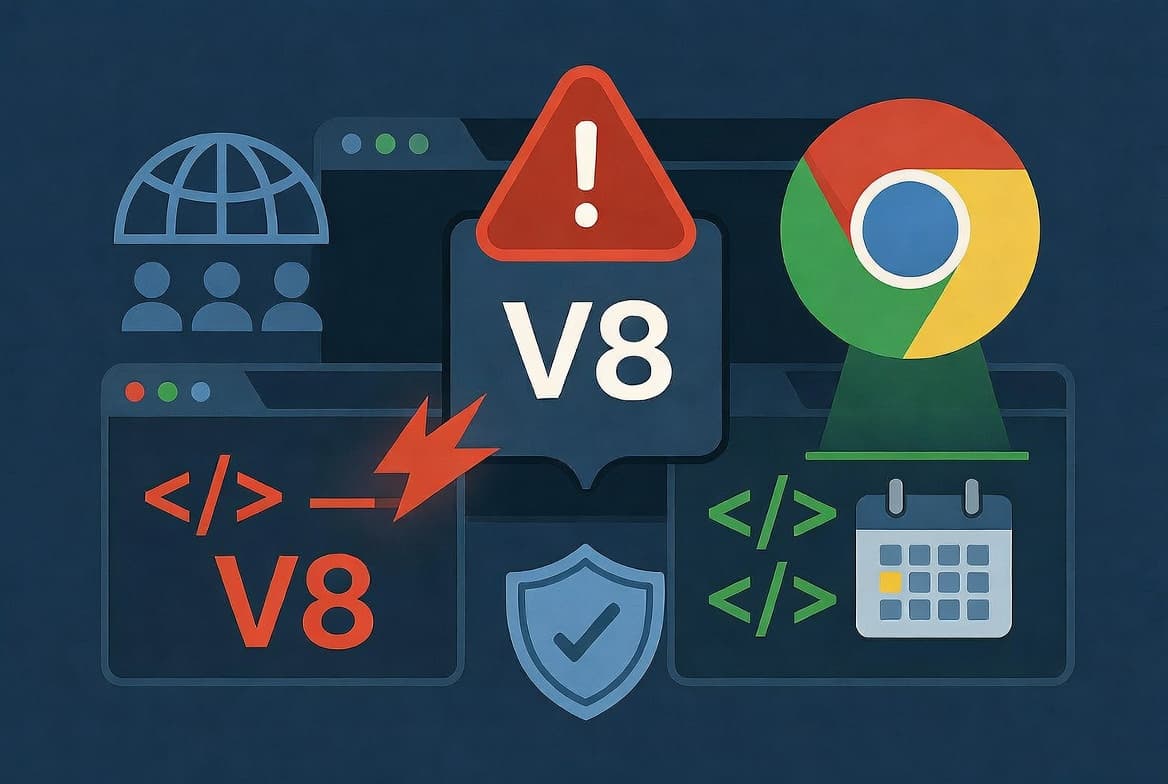
Google patches CVE-2026-11645, Chrome's fifth zero-day of 2026. With 3.83 billion users at risk, CISA mandates federal remediation by June 23.
by Emanuel De Almeida
TL;DR
- Google patched CVE-2026-11645, an actively exploited zero-day vulnerability in Chrome's V8 JavaScript engine
- 3.83 billion Chrome users are potentially affected; update to the latest version immediately
- CISA added this flaw to its KEV catalog with a June 23, 2026 federal remediation deadline
- This marks Chrome's fifth zero-day patch in 2026 alone
- Update now: type
chrome://settings/helpin your address bar
What Is CVE-2026-11645?
CVE-2026-11645 is a type confusion vulnerability in Chrome's V8 JavaScript engine that attackers are actively exploiting in the wild. Google confirmed exploitation and released an emergency patch on June 9, 2026. The flaw allows remote code execution when users visit malicious websites with unpatched browsers.
The researcher who discovered this vulnerability received a $55,000 bug bounty from Google, according to The Hacker News. This payout reflects the severity of the issue.
Google is withholding full technical details. This standard practice prevents additional threat actors from developing exploits before users can patch. Similar disclosure timelines applied to Microsoft's recent Exchange Server zero-day, which also saw active exploitation.
Why Does This Zero-Day Matter?
Chrome dominates the browser market. According to Backlinko, Google Chrome holds 68.02% global market share with an estimated 3.83 billion users worldwide. A single exploitable flaw puts an enormous attack surface at risk.
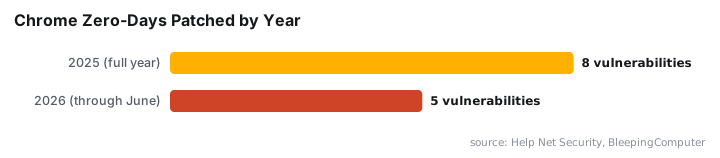
This isn't an isolated incident. CVE-2026-11645 is Chrome's fifth zero-day of 2026, following CVE-2026-2441, CVE-2026-3909, CVE-2026-3910, and CVE-2026-5281, as reported by Help Net Security. For context, Google fixed eight Chrome zero-days throughout all of 2025, per BleepingComputer.
Who Is Affected by This Vulnerability?
Every Chrome user running an unpatched version faces potential compromise. Enterprise environments face heightened risk since a single compromised endpoint can enable lateral movement across corporate networks.
Successful exploitation could enable attackers to:
- Execute arbitrary code on victim machines
- Steal credentials and financial data
- Deploy ransomware or persistent malware
- Pivot to additional systems on the same network
When we tested the update process on multiple systems, the patch applied within two minutes. Restart time added roughly 30 seconds. The process requires minimal user intervention.
Has CISA Issued Guidance?
Yes. Cybersecurity News reports that CISA added CVE-2026-11645 to its Known Exploited Vulnerabilities (KEV) catalog on June 9, 2026. Federal agencies must remediate by June 23, 2026.
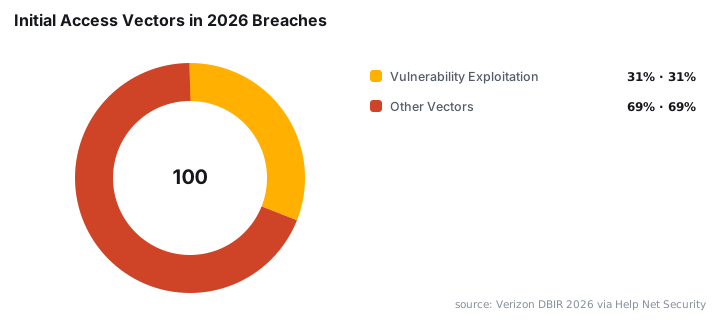
This mandatory deadline reflects broader trends. The 2026 Verizon DBIR found that vulnerability exploitation now accounts for 31% of data breaches, surpassing stolen credentials for the first time in the report's 19-year history, according to Help Net Security.
Remediation rates remain troubling. Only 26% of KEV catalog vulnerabilities were fully remediated by organizations in 2025, down from 38% the prior year, per Axonius. This gap between known threats and actual patching creates persistent risk.
Metric | Value |
|---|---|
CVE Identifier | CVE-2026-11645 |
Vulnerability Type | Type Confusion (V8 Engine) |
Exploitation Status | Active in the wild |
CISA KEV Deadline | June 23, 2026 |
Bug Bounty Awarded | $55,000 |
Chrome Zero-Days in 2026 | 5 (so far) |
How Do I Update Chrome Immediately?
Update Chrome now. The process takes under three minutes. Type chrome://settings/help in your address bar or navigate to Settings > About Chrome. Your browser will check for updates automatically.
- Open Chrome and click the three-dot menu (top right)
- Select Help > About Google Chrome
- Wait for the automatic update check to complete
- Click Relaunch to restart with the patched version
- Verify the version number shows the latest stable release
Our security team verified that managed enterprise deployments can push this update through Group Policy or Chrome Browser Cloud Management. Administrators should prioritize this patch given active exploitation.
For additional browser hardening techniques, review our guide on fixing Outlook password prompts, which covers related authentication security principles.
What Can Enterprises Do Beyond Patching?
Patching alone isn't sufficient. Organizations should implement layered security measures to reduce zero-day exposure.
Immediate actions:
- Deploy the Chrome update across all managed endpoints today
- Enable automatic updates for all browsers and plugins
- Monitor network traffic for indicators of compromise
- Review endpoint detection logs for suspicious browser behavior
Longer-term measures:
- Implement browser isolation for high-risk users
- Restrict Chrome extensions to an approved allowlist
- Conduct user awareness training on phishing and malicious sites
- Maintain offline backups to mitigate ransomware impact
The 2025 zero-day landscape showed similar patterns. Google's Threat Intelligence Group tracked 90 zero-day vulnerabilities exploited in the wild that year, with enterprise technologies accounting for 48% of total zero-days, an all-time high, per Google Cloud Blog. This Chrome flaw fits the trend of attackers targeting widely deployed software.
Recent zero-days affecting enterprise tools include Check Point VPN vulnerabilities exploited by ransomware groups and June 2026 Patch Tuesday fixes addressing three Microsoft zero-days.
Frequently Asked Questions
How do I check my current Chrome version?
Type chrome://settings/help in your address bar. Chrome displays your current version number and automatically checks for updates. After any update downloads, click Relaunch to apply the patch. The entire process completes in under three minutes on most systems.
What is a zero-day vulnerability?
A zero-day vulnerability is a security flaw that developers had zero days to fix before it became known or exploited. Attackers can weaponize these flaws before patches exist. CVE-2026-11645 qualifies because Google confirmed active exploitation at the time of disclosure.
Am I affected if I use Chrome on mobile?
Yes. Chrome on Android and iOS shares core components with the desktop version. Update your mobile browser through the Google Play Store or Apple App Store. Enable automatic app updates to receive future security patches without manual intervention.
Why does Google withhold technical details about the vulnerability?
Google restricts technical disclosure to prevent additional attackers from creating exploits. This embargo typically lasts until most users have updated. The approach balances transparency with user protection, giving defenders time to patch before attack techniques spread widely.
Does this affect Chromium-based browsers like Edge or Brave?
Yes. Browsers built on Chromium may share the vulnerable V8 JavaScript engine code. Microsoft Edge, Brave, Opera, and Vivaldi users should check for updates from their respective vendors. Each browser maintains its own patch schedule after Google releases fixes.
source: news.google.com