UniFi OS Improper Access Control Flaw Earns Perfect CVSS 10 Score
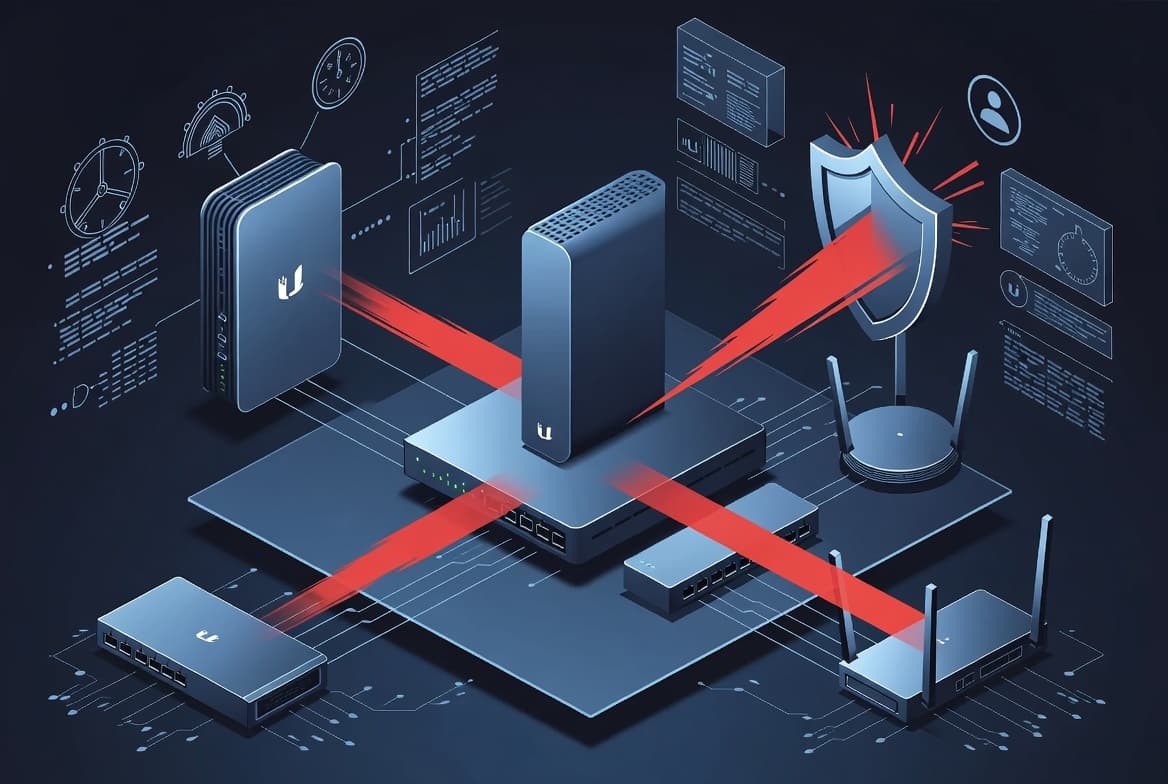
CVE-2026-34908 is a critical improper access control flaw in Ubiquiti UniFi OS devices scoring a perfect CVSS 10, actively exploited in the wild with a federal remediation deadline of 2026-06-26.
TL;DR
- CVE-2026-34908 is a CVSS 10.0 critical improper access control (CWE-284) flaw in Ubiquiti UniFi OS devices.
- Any network-reachable attacker - no credentials, no user interaction required - can make unauthorized system changes with full confidentiality, integrity, and availability impact.
- 20+ Ubiquiti products are affected, spanning Dream Machine, Dream Router, NVR, ENVR, EFG, and UNAS product lines.
- CISA has added this to the Known Exploited Vulnerabilities catalog; federal agencies must remediate by 2026-06-26.
- Apply the firmware update described in the Ubiquiti Security Advisory Bulletin 064 immediately.
What is CVE-2026-34908?
CVE-2026-34908 is an improper access control vulnerability (CWE-284) in Ubiquiti UniFi OS. A network-accessible attacker requires no authentication and no user interaction to exploit it, allowing unauthorized changes to the underlying system. The scope is changed (S:C), meaning the impact extends beyond the vulnerable component itself.
CWE-284 covers situations where software fails to correctly enforce who is permitted to access a resource or perform an action. In UniFi OS, this means the access-control boundary that should separate anonymous network requests from privileged system operations can be bypassed entirely. The result is that an attacker can modify configuration, install software, or otherwise manipulate the device as if they held administrative rights.
Who is affected?
The following Ubiquiti products running vulnerable UniFi OS firmware are confirmed in scope per the official advisory:
- UniFi OS Server (generic)
- UDM (UniFi Dream Machine)
- UDM-Pro
- UDM-SE
- UDM-Pro-Max
- UDM-Beast
- EFG (Enterprise Fortress Gateway)
- UDW (UniFi Dream Wall)
- UDR (UniFi Dream Router)
- UDR7
- UDR-5G
- Express 7
- UNVR
- UNVR-Pro
- UNVR-Instant
- UNVR-G2
- UNVR-G2-Pro
- ENVR
- ENVR-Core
- UNAS-2
This list covers network video recorders, network-attached storage, routing/security gateways, and the flagship Dream Machine line - essentially the full breadth of the UniFi OS ecosystem.
How severe is it?
CVSS base score: 10.0 (Critical) - the highest score the CVSS 3.1 scale allows.
Vector: CVSS:3.1/AV:N/AC:L/PR:N/UI:N/S:C/C:H/I:H/A:H
Breaking that down:
| Metric | Value | Meaning |
|---|---|---|
| Attack Vector | Network | Exploitable remotely |
| Attack Complexity | Low | No special conditions needed |
| Privileges Required | None | No account or session required |
| User Interaction | None | Victim does not need to click anything |
| Scope | Changed | Impact crosses security boundaries |
| Confidentiality | High | Full data disclosure possible |
| Integrity | High | Attacker can alter system state |
| Availability | High | Device can be made unavailable |
The changed scope rating is particularly significant. It means a compromised UniFi OS device can become a pivot point to attack networks, cameras, and other infrastructure that sit behind or depend on it - far beyond the device itself.
Is it being exploited?
Yes - active exploitation is confirmed. CISA added CVE-2026-34908 to the Known Exploited Vulnerabilities catalog and set a federal remediation deadline of 2026-06-26.
Security researchers at pwndefend.com have published analysis linking UniFi OS exploitation to a Mirai-style botnet campaign observed in the wild. Mirai-derived malware typically targets network devices precisely because they have persistent internet exposure, rarely get updated promptly, and offer high-bandwidth resources useful for DDoS operations. UniFi OS devices match that profile exactly.
How to fix and mitigate it
-
Apply the vendor firmware update immediately. Ubiquiti has published remediation guidance in Security Advisory Bulletin 064. Do not wait - check the official advisory for the correct firmware version for your specific device and update through the UniFi OS interface or UniFi Network application.
-
Restrict management interface access at the network boundary. If the UniFi OS management plane is reachable from the internet, block that access at your firewall or router immediately.
# Example: block external access to UniFi OS management port (adjust interface and port as needed)
iptables -I INPUT -i eth0 -p tcp --dport 443 -s 0.0.0.0/0 ! -d <YOUR_MGMT_SUBNET> -j DROP
-
Place management traffic on an isolated VLAN or require VPN access. Ensure only authorized administrators can reach the UniFi OS web interface, and only over an authenticated, encrypted tunnel.
-
Disable remote access features if not actively needed. UniFi Remote Access (cloud portal connectivity) should be turned off on devices that do not require it, reducing the attack surface until patching is complete.
-
Monitor for unauthorized configuration changes. Review device logs and UniFi controller event history for unexpected system modifications, new admin accounts, or firmware changes you did not initiate.
How to detect exposure
Check your firmware version against the patched versions listed in the Ubiquiti advisory before assuming you are safe.
# On a UniFi OS device via SSH, check current OS version
unifi-os version
Scan for exposed management interfaces from an external perspective:
# Check if UniFi OS management is internet-facing (run from an external host)
nmap -p 443,8443,22 <YOUR_DEVICE_IP> --open
Review authentication logs for anonymous or unexpected access attempts:
# Check auth logs on UniFi OS (SSH access required)
grep -i 'unauthorized\|failed\|access denied' /var/log/auth.log | tail -50
Enable UniFi threat management and alerting within the UniFi Network application. Set up email or webhook alerts for any system-level changes that occur outside of maintenance windows. If you use a SIEM, forward syslog output from UniFi OS devices and create rules that alert on configuration modification events from unexpected source IPs.
Frequently asked questions
Does an attacker need credentials to exploit CVE-2026-34908?
No. The CVSS vector confirms PR:N (no privileges required) and UI:N (no user interaction), meaning any attacker with network access can trigger the vulnerability without authenticating or tricking a user. This is one of the primary reasons the flaw received a perfect CVSS 10 base score.
Which UniFi OS products are affected by this vulnerability?
The flaw affects a wide range of Ubiquiti hardware: all UniFi Dream Machine variants, UniFi Dream Wall, UniFi Dream Router models, UniFi NVR and ENVR appliances, the Enterprise Fortress Gateway, and the UNAS-2 NAS. Consult the Ubiquiti security advisory to confirm whether your specific firmware version is in scope.
Has CVE-2026-34908 been linked to any malware campaigns?
Yes. Reporting from pwndefend.com connects related UniFi OS exploitation activity to a Mirai-style botnet campaign observed in the wild. CISA's inclusion of CVE-2026-34908 in the Known Exploited Vulnerabilities catalog confirms active exploitation is occurring, not just theoretical proof-of-concept work.
What is the fastest interim mitigation if patching is not immediately possible?
Restrict management-plane access to a dedicated VLAN or VPN and block all untrusted internet-facing access to the UniFi OS management interface at the network perimeter. These controls reduce exposure but are not a substitute for applying the vendor-supplied firmware update as soon as it is available.