Open-Source PDF Editors 2026: 8 Best Free Tools
Ranked guide to the best open-source PDF editors in 2026. All free, no subscription, runs offline. Stirling PDF leads with 50+ tools and self-hosted privacy.
by Emanuel De Almeida
in_this_guide+
- 01TL;DR
- 021. Stirling PDF - the open-source Adobe Acrobat
- 032. ONLYOFFICE PDF Editor - real content editing and collaboration
- 043. LibreOffice Draw - free PDF editing on any OS
- 054. PDF Arranger - reorganise pages in seconds
- 065. Okular - the power-user reader with annotations
- 076. Xournal++ - stylus, handwriting and signatures
- 087. Inkscape - edit vector graphics inside a PDF
- 098. PDFsam Basic - the veteran merge/split tool
- 10How to choose the right open-source PDF editor
- --FAQ
TL;DR
- Stirling PDF is our top pick: a self-hostable, web-based toolkit with 50+ tools that gets closer to "open-source Adobe Acrobat" than anything else. Best for IT teams and privacy-conscious users.
- Need to actually rewrite text, images and forms inside a PDF? Use ONLYOFFICE PDF Editor or LibreOffice Draw.
- Just reorganising pages (merge, split, rotate, delete)? PDF Arranger and PDFsam Basic are dead simple.
- Reading, annotating, commenting or signing? Okular (desktop reader) or Xournal++ (stylus and handwriting).
- Editing a logo, diagram or vector drawing embedded in a PDF? Inkscape is the right tool.
- Every tool here is free, open-source, and most run fully offline. No Acrobat subscription, no documents leaving your network.
Open-source PDF tools matter because they remove the two biggest pain points of proprietary PDF software: recurring subscription cost and the privacy risk of uploading sensitive documents to someone else's cloud. With a self-hosted option you keep contracts, payroll and signed forms inside your own infrastructure. When choosing one, look at what you actually need to do (manipulate pages, edit content, annotate, or edit vectors), whether it runs offline, and how active the project is. Here are the eight best open-source PDF editors in 2026, ranked.
Rank | Tool | Best for | License | GitHub |
|---|---|---|---|---|
1 | Stirling PDF | All-in-one toolkit, self-hosted | MIT | ~85k stars |
2 | ONLYOFFICE PDF Editor | True content editing + collaboration | AGPL-3.0 | ~5k stars |
3 | LibreOffice Draw | Free PDF editing on any OS | MPL-2.0 | ~4.1k stars (mirror) |
4 | PDF Arranger | Reorganising pages | GPL-3.0 | ~5.6k stars |
5 | Okular | Reading + annotations | GPL-2.0-or-later | ~1.4k stars (mirror) |
6 | Xournal++ | Stylus, handwriting, signatures | GPL-2.0 | ~15k stars |
7 | Inkscape | Editing vector content in a PDF | GPL-2.0-or-later | ~3.6k stars (mirror) |
8 | PDFsam Basic | Merge / split / extract | AGPL-3.0 | ~4.5k stars |
1. Stirling PDF - the open-source Adobe Acrobat
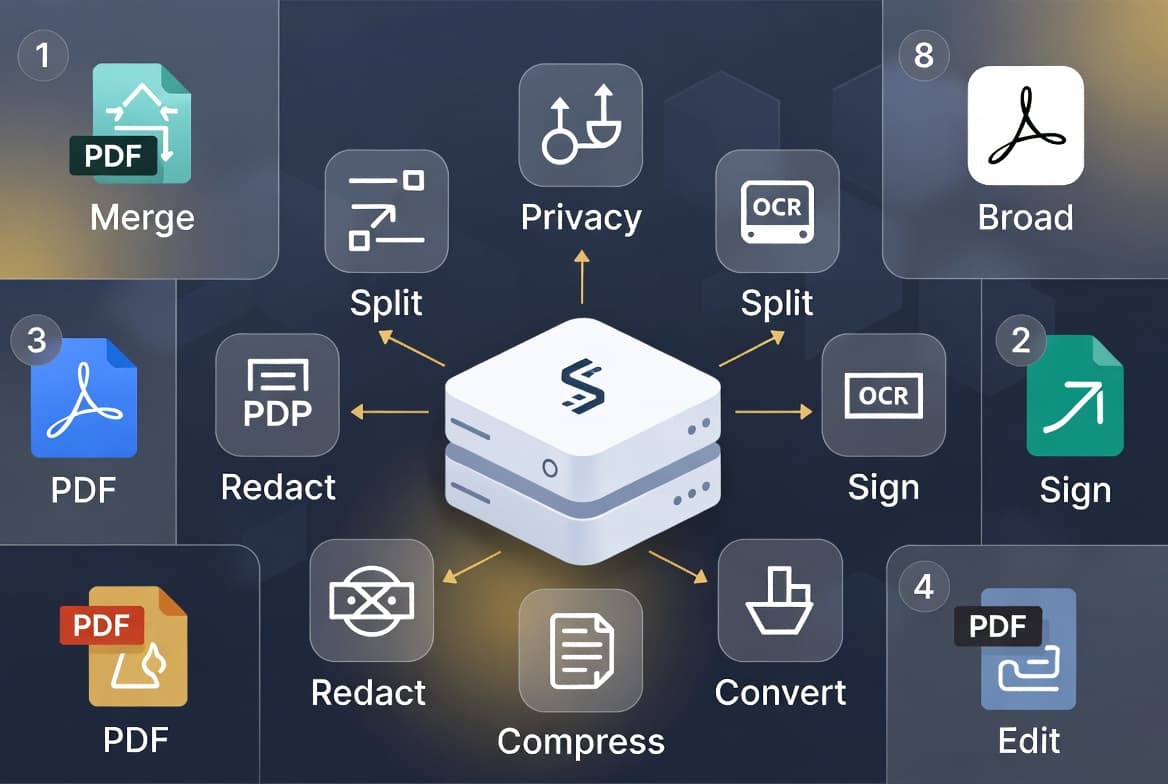
Stirling PDF is the closest thing to a self-hosted Adobe Acrobat. It is a web application that bundles 50+ PDF tools: merge, split, OCR, sign, compress, rotate, password-protect, edit metadata, redact, fill forms, convert formats, and more, all driven from a clean browser UI and a REST API for automation. You run it yourself, so nothing leaves your network. The fastest way to try it is Docker:
docker run -p 8080:8080 docker.stirlingpdf.com/stirlingtools/stirling-pdfThen open http://localhost:8080. With roughly 85k GitHub stars it is the most-starred PDF application on GitHub, and it is MIT-licensed (the project relicensed to MIT, so it is genuinely permissive). Best for IT teams, MSPs and anyone who wants Acrobat-grade page operations without the subscription. It pairs naturally with our other free browser-based IT tools.
2. ONLYOFFICE PDF Editor - real content editing and collaboration
ONLYOFFICE is the pick when you need to change the actual content of a PDF, not just rearrange it. Its PDF editor lets you edit text and images directly on the page, add annotations and comments, build and fill interactive forms, sign documents, and collaborate with others in real time. It ships as a free desktop app (Windows, Linux, macOS) and as a web editor you can self-host alongside the wider ONLYOFFICE document suite. The desktop editors repo sits at around 5k GitHub stars and is licensed AGPL-3.0. Best for users who treat a PDF like an editable document, and for teams that want collaborative review and form workflows in one open-source package.
3. LibreOffice Draw - free PDF editing on any OS
If ONLYOFFICE is more than you need, LibreOffice Draw is the default fallback that millions already have installed. It opens PDFs directly and lets you edit text boxes, move and replace images, and re-export, all completely free and cross-platform across Windows, Linux and macOS. The trade-off is layout fidelity: because Draw reconstructs the PDF as editable objects, complex multi-column or heavily designed layouts can shift when you edit them. The LibreOffice source lives on the project's own infrastructure; the read-only GitHub mirror (LibreOffice/core) shows around 4.1k stars, and the suite is licensed under the Mozilla Public License 2.0. Best for occasional, light PDF text edits where you already run LibreOffice.
4. PDF Arranger - reorganise pages in seconds
PDF Arranger does one job and does it well: visual page management. It is a small Python/GTK app that lets you merge documents, split them, and rotate, crop, delete, duplicate and rearrange pages by dragging thumbnails around an intuitive grid. You can also extract selected pages into a new file. There is no text editing here, and that is the point: it stays fast and obvious. The repo (pdfarranger/pdfarranger) has roughly 5.6k GitHub stars and is GPL-3.0 licensed. Best for anyone who regularly assembles, reorders or trims PDFs and wants a lightweight, no-learning-curve tool to do it.
5. Okular - the power-user reader with annotations
Okular is KDE's universal document viewer, and it is an outstanding PDF reader with serious markup features. On top of fast, polished reading it supports annotations, inline comments, highlights, digital signatures, and filling in PDF forms. What it does not do is true content editing: you cannot rewrite the underlying text or reflow the layout. The canonical code lives on KDE infrastructure; the GitHub mirror (KDE/okular) shows around 1.4k stars, and it is licensed GPL-2.0-or-later. Available across Linux, Windows and macOS. Best for people who mainly read and review PDFs (academics, reviewers, anyone marking up documents) and want annotations and signatures without a heavyweight editor.
6. Xournal++ - stylus, handwriting and signatures
Xournal++ is a handwriting and note-taking application with first-class PDF annotation. If you have a pen-enabled device or a Wacom tablet, it shines: you can write directly on top of a PDF, add typed text, highlight, draw shapes, and drop in a handwritten signature. It is genuinely cross-platform (Linux, Windows, macOS) and supports proper pressure-sensitive pen input. With roughly 15k GitHub stars (xournalpp/xournalpp) it is one of the most popular tools on this list, and it is GPL-2.0 licensed. Best for students, note-takers and anyone who wants to sign or mark up documents by hand rather than with form fields.
7. Inkscape - edit vector graphics inside a PDF
Inkscape is a professional vector graphics editor, and it has a niche but valuable PDF role: editing the vector content of a page. When a PDF contains a logo, diagram, chart or line-art drawing, Inkscape can import the page, let you edit those vector objects precisely, and export back to PDF. It is the wrong tool for multi-page office documents or body text, but the right one for graphics. The canonical project lives on GitLab; the GitHub mirror (inkscape/inkscape) shows around 3.6k stars, and Inkscape is licensed GPL-2.0-or-later. Best for designers and technical authors who need to fix or redraw a vector element that lives inside a PDF.
8. PDFsam Basic - the veteran merge/split tool
PDFsam Basic (PDF Split and Merge) is one of the oldest open-source PDF projects still going strong. The free Basic edition focuses on the core manipulation tasks: merge multiple PDFs, split one into several, rotate pages, extract specific pages, and mix documents together. It is a desktop Java application that runs on Windows, Linux and macOS. The repo (torakiki/pdfsam) sits at around 4.5k GitHub stars and is AGPL-3.0 licensed. Best for users who want a stable, long-trusted desktop tool purely for combining and dividing PDFs, and who prefer a dedicated app over a web UI.
How to choose the right open-source PDF editor
Match the tool to the task rather than hunting for a single do-everything app:
- Manipulate pages (merge, split, rotate, extract): Stirling PDF for the full self-hosted toolkit, or PDF Arranger / PDFsam Basic for a focused desktop app.
- Edit text, images and forms inside the document: ONLYOFFICE PDF Editor for true content editing and collaboration; LibreOffice Draw for quick, free edits you already have installed.
- Annotate, comment, highlight or sign: Okular for mouse-and-keyboard markup and signatures; Xournal++ when you have a stylus or tablet and want to write by hand.
- Edit vector graphics (logos, diagrams, drawings): Inkscape, exporting back to PDF.
- OCR, redaction, compression, passwords, metadata and an automation API: Stirling PDF covers all of these in one place, which is why it tops the list.
For organisations, the bigger win is combining a PDF toolkit with a document workflow. Pairing Stirling PDF with the Paperless-ngx document management spotlight gives you a self-hosted pipeline that scans, OCRs, organises and edits documents without any of it touching a third-party cloud. For one-off conversions and quick fixes in the browser, our free browser-based IT tools cover the gaps. Whatever you pick, every option here is free and open-source: you get Acrobat-class capability, keep your documents private, and drop the subscription.
Frequently asked questions
What is the best open-source PDF editor?+
Stirling PDF is the best all-round open-source PDF editor in 2026. It is a self-hostable web app with 50+ tools (merge, split, OCR, sign, compress, redact, forms and an API), making it the closest open-source alternative to Adobe Acrobat.
Is there a free open-source alternative to Adobe Acrobat?+
Yes. Stirling PDF is a free, MIT-licensed open-source alternative to Adobe Acrobat that you self-host. For true text and content editing, ONLYOFFICE PDF Editor and LibreOffice Draw are also free and open-source.
Can I self-host a PDF editor?+
Yes. Stirling PDF is designed to be self-hosted and runs in one command with Docker: docker run -p 8080:8080 docker.stirlingpdf.com/stirlingtools/stirling-pdf. Because it runs on your own server, your documents never leave your network.
Which open-source tool can edit PDF text?+
ONLYOFFICE PDF Editor and LibreOffice Draw can both edit the actual text and images inside a PDF. ONLYOFFICE adds annotations, forms and collaboration, while LibreOffice Draw is a free, cross-platform option you may already have installed.
What is the best open-source PDF editor for annotations and signatures?+
Okular is excellent for annotating, commenting on and signing PDFs with a mouse and keyboard. If you have a stylus or tablet, Xournal++ lets you handwrite notes and add a handwritten signature directly on the page.