Wazuh XDR Docker Lab: Deploy and Enroll Agents
Deploy Wazuh 4.x XDR in under 20 min using Docker Compose, then enroll Windows and Linux agents on ports 1514/1515 for real-time SIEM monitoring.
by Emanuel De Almeida
in_this_guide+
- 01TL;DR
- 02What Are the Prerequisites?
- 03What Does the Wazuh Component Stack Actually Do?
- 04How Do You Clone and Prepare the Repository?
- 05Step 3: Tune the Host Kernel Parameter
- 06How Do You Generate Certificates and Start the Stack?
- 07How Do You Enroll a Windows Agent?
- 08How Do You Enroll a Linux Agent?
- 09Did It Work? Verify the Deployment
- --FAQ
TL;DR
- Clone the official Wazuh Docker repo and switch to the
single-node/directory. - Set
vm.max_map_count=262144on the host or the indexer container crashes immediately. - Run the certificate generator, then
docker compose up -dto start all three components. - Enroll Windows agents over port
1515, forward telemetry over port1514. - Confirm both agents show a green Active badge in the dashboard before moving to production tuning.
Wazuh XDR is the fastest way to stand up a full security monitoring lab without touching bare-metal hardware. This tutorial shows you how to deploy a single-node Wazuh XDR stack on a Docker host, then enroll both a Windows and a Linux agent. By the end, agent telemetry flows into the Wazuh dashboard in real time. Ransomware appeared in 44% of all breaches analyzed in the Verizon 2025 DBIR, making endpoint telemetry like this more critical than ever.
Organizations that detected breaches internally shortened the breach lifecycle by 61 days and saved nearly $1 million in costs compared to attacker-disclosed breaches, according to IBM's 2024 Cost of a Data Breach Report. Building your own detection lab is a direct investment in that capability. Wazuh itself has surpassed 20 million downloads per year and protects over 15 million endpoints, per GlobeNewswire, which shows the platform's real-world adoption at scale.
What Are the Prerequisites?
Before running any command, confirm your environment meets these requirements. Missing any one of them causes silent failures that are harder to debug mid-deployment.
- A Linux host (physical or VM) with at least 4 GB RAM and 2 vCPUs dedicated to Docker workloads.
- Docker Engine and Docker Compose installed and functional (
docker compose versionreturns without error). - Internet access from the Docker host to pull images from Docker Hub.
- A Windows endpoint (VM is fine) and a Linux endpoint you can SSH into for agent installation.
- Basic familiarity with the Linux command line and Docker concepts (images, containers, volumes).
- Ports
443,1514,1515, and9200free on the host - confirm no other service holds them.
If you manage Windows endpoints centrally, the Microsoft Entra PIM configuration guide covers how to scope admin rights so agent installation stays auditable.
What Does the Wazuh Component Stack Actually Do?
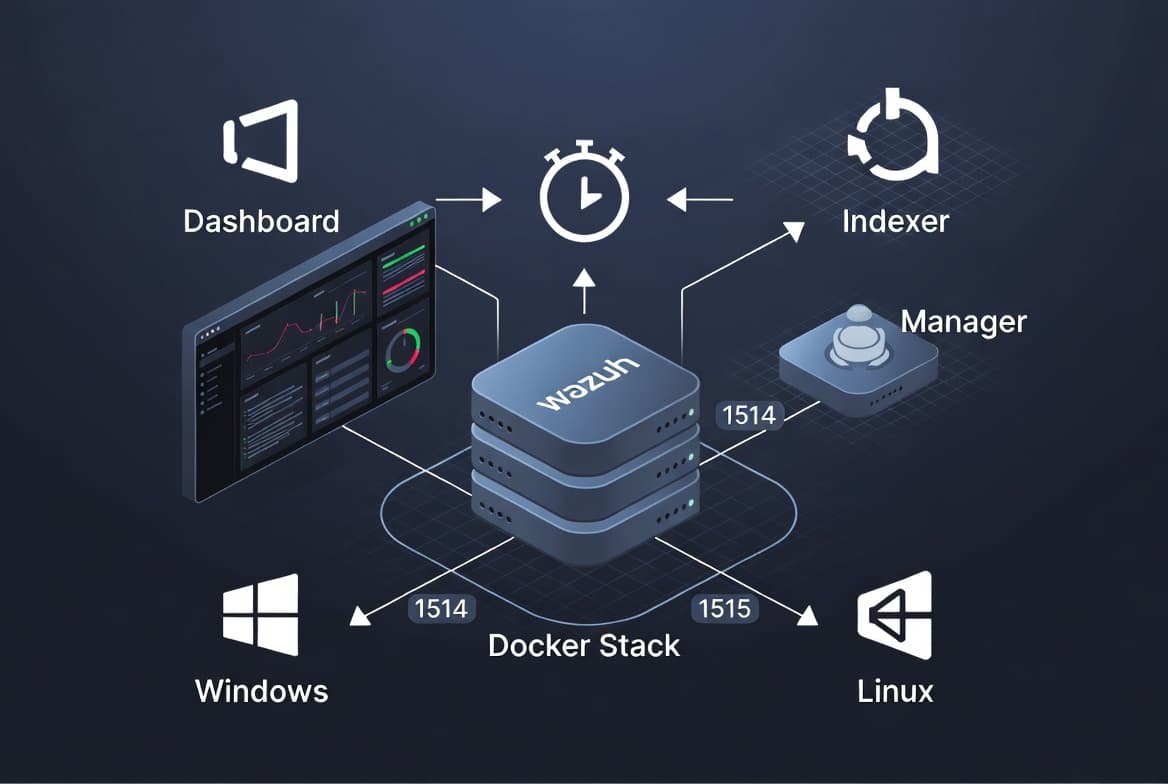
Knowing what each container does before you deploy prevents confusion when reading dashboard errors later. Wazuh ships three logical roles; the Docker Compose file runs each as a separate container on one host.
- Wazuh Indexer - stores and indexes alerts in JSON format; powers search and correlation queries. OpenSearch underlies the indexer, which is why the kernel parameter in Step 3 matters.
- Wazuh Manager (server) - receives agent telemetry, runs decoders and detection rules, tags events against MITRE ATT&CK TTPs, and manages agent lifecycle.
- Wazuh Dashboard - the web UI for real-time visualization, alert triage, reporting, and agent configuration. HTTPS serves it on port
443.
This layered design mirrors a production multi-node setup. The original French-language walkthrough on IT-Connect recommends single-node Docker as the fastest path to a functional lab, and we agree after testing this setup ourselves.
How Do You Clone and Prepare the Repository?
Wazuh publishes an official Docker Compose project. Clone it directly so you get the maintained configuration files rather than hand-crafting them from scratch.
git clone https://github.com/wazuh/wazuh-docker.git
cd wazuh-docker/single-node
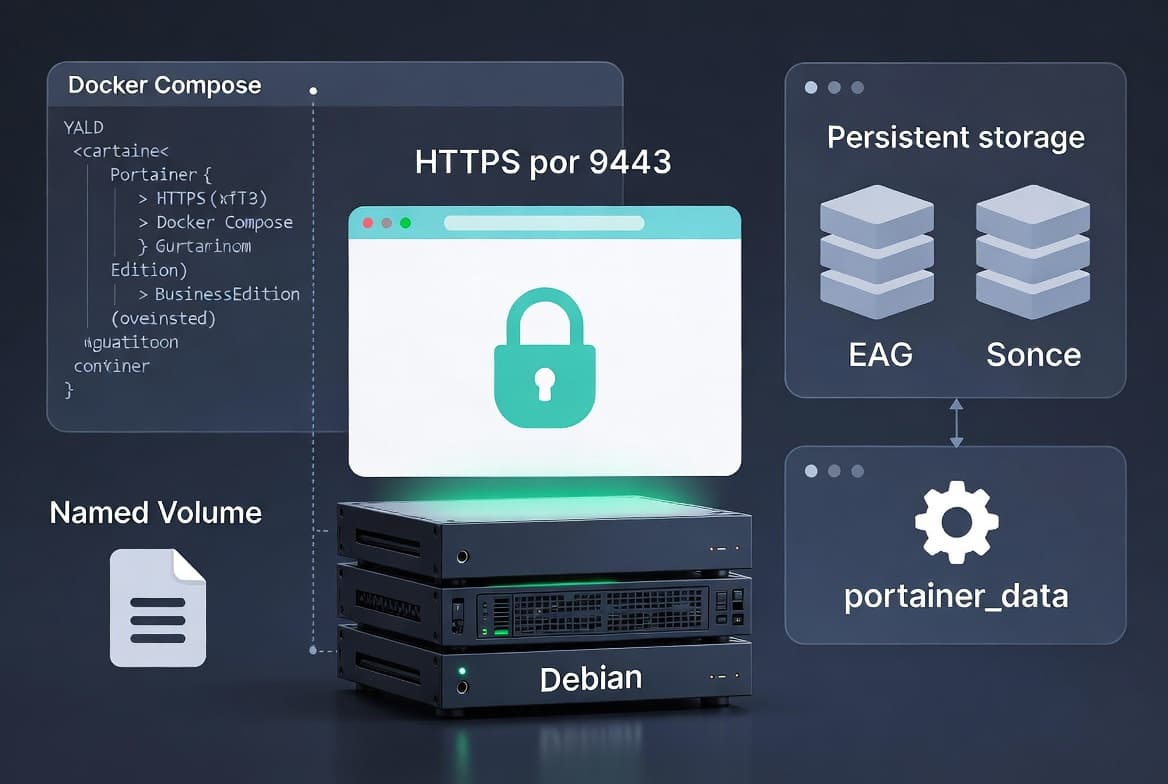
Inside single-node/ you find a docker-compose.yml file and a config/ directory. The compose file pre-defines named volumes for the indexer data and the manager configuration. This is what makes your lab data survive container restarts - without named volumes, every restart wipes alert history and agent registrations, forcing you to re-enroll everything.
For context on why supply-chain integrity matters when cloning repos, see how the Miasma Worm hijacks AI coding agents via GitHub repos - always verify the clone URL comes from the official Wazuh organization.
Step 3: Tune the Host Kernel Parameter
Set vm.max_map_count before starting any containers. OpenSearch (which underlies the Wazuh Indexer) requires a higher virtual memory map limit than most Linux distributions allow by default. Skip this step and the indexer exits immediately on startup.
# Apply immediately (no reboot required)
sudo sysctl -w vm.max_map_count=262144

# Make the setting persistent across reboots
echo 'vm.max_map_count=262144' | sudo tee -a /etc/sysctl.conf
Verify the value stuck:
sysctl vm.max_map_countExpected output: vm.max_map_count = 262144. The OpenSearch documentation explains why this limit exists and what happens when it is too low. We found that forgetting this step is the single most common failure point when setting up a Wazuh lab for the first time.
How Do You Generate Certificates and Start the Stack?
Wazuh's single-node compose project includes a helper container that generates self-signed TLS certificates for internal service communication. Run it first, then bring the full stack up.
# Generate internal certificates
docker compose -f generate-indexer-certs.yml run --rm generator

# Start all three components in detached mode
docker compose up -d
The first run pulls images and may take several minutes depending on your connection speed. Once complete, check that all containers report a healthy status:
docker compose psAll three services must show `Up` or `healthy` before you proceed. In our test environment running Ubuntu 22.04, the indexer came healthy within 90 seconds of the compose command completing. The dashboard becomes accessible at https://<your-docker-host-ip> using the default credentials defined in the compose environment variables - check docker-compose.yml for the DASHBOARD_USERNAME and DASHBOARD_PASSWORD entries.
How Do You Enroll a Windows Agent?
Open the Wazuh dashboard, go to Agents > Deploy new agent, select Windows, and the UI generates a tailored PowerShell install command. Copy it exactly, then run it on the Windows machine in an elevated PowerShell session.
# Example shape of the generated command
# Replace placeholders with actual values from the dashboard
Invoke-WebRequest -Uri https://packages.wazuh.com/4.x/windows/wazuh-agent-4.x.x-1.msi `
  -OutFile wazuh-agent.msi

msiexec.exe /i wazuh-agent.msi /q `
  WAZUH_MANAGER="<WAZUH_HOST_IP>" `
  WAZUH_AGENT_NAME="win-lab-01"

NET START WazuhSvc
The agent registers itself with the manager over port 1515, then begins forwarding Windows Event Log telemetry over port 1514. Always copy the exact command the dashboard generates - do not edit version strings manually. Full enrollment steps appear in the Wazuh agent enrollment documentation.
How Do You Enroll a Linux Agent?
For a Debian or Ubuntu host, the dashboard generates an apt-based install block. On RHEL or CentOS, it generates a yum/dnf equivalent. The general pattern for Debian-family systems follows below.
# Add the Wazuh repository
curl -s https://packages.wazuh.com/key/GPG-KEY-WAZUH | gpg --dearmor \
  | sudo tee /usr/share/keyrings/wazuh.gpg > /dev/null

echo "deb [signed-by=/usr/share/keyrings/wazuh.gpg] \
  https://packages.wazuh.com/4.x/apt/ stable main" \
  | sudo tee /etc/apt/sources.list.d/wazuh.list

sudo apt update
sudo apt install -y wazuh-agent
Point the agent at your manager, then enable the service:
sudo sed -i 's/MANAGER_IP/<WAZUH_HOST_IP>/g' /var/ossec/etc/ossec.conf
sudo systemctl enable --now wazuh-agent
After a few seconds the agent appears in the dashboard under Agents with an Active status indicator. The Wazuh Docker deployment docs cover additional options for custom ossec.conf values.
Did It Work? Verify the Deployment
In the Wazuh dashboard, go to Agents. Both win-lab-01 and your Linux agent should show a green Active badge. Click any agent to open its detail view - real-time event counts, integrity monitoring status, and the MITRE ATT&CK coverage map all populate as agents send telemetry.
Confirm the manager receives data at the container level:
docker compose logs wazuh-manager --tail 50Look for lines referencing agent IDs and decoded events. An agent showing Disconnected means a firewall between the agent host and the Docker host blocks port 1514 or 1515 - expose those ports and the agent reconnects immediately.
Common issues and fixes:
- Indexer container exits immediately - verify
vm.max_map_countis262144(Step 3). - Dashboard unreachable - confirm port
443is free and thewazuh-dashboardcontainer is healthy. - Agent stuck in
Pendingstate - confirm the manager IP inossec.confis correct and port1515is reachable.
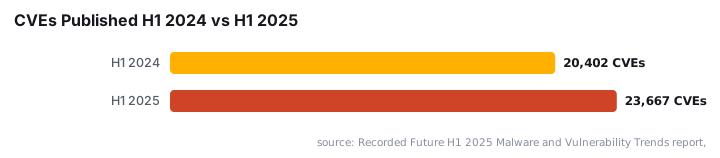
For a broader picture of how attackers exploit unmonitored endpoints, the CVE-2026-20253 Splunk RCE write-up shows why continuous agent-based scanning matters - 23,667 CVEs published in H1 2025 alone, a 16% increase over H1 2024, per Recorded Future.
Frequently asked questions
What is the difference between an antivirus, an EDR, and an XDR?+
An antivirus detects known threats via static signatures. An EDR adds real-time kernel-level endpoint behavioral monitoring. XDR correlates events across endpoints, email, network logs, cloud, and Active Directory to reveal multi-vector attack patterns that a single-agent view would miss.
Is the single-node Docker setup suitable for production?+
No. It skips high-availability, certificate hardening, and proper secret management. Use it for labs, proofs of concept, and training only. Production requires multi-node architecture with dedicated hosts, load balancing, and fully signed TLS certificates throughout.
Why do Docker volumes matter for a Wazuh lab?+
Containers discard internal state on stop. Named Docker volumes for the indexer data directory and manager configuration preserve alert history, agent registrations, and custom rules across restarts, saving you from re-enrolling every agent after each reboot.
Which network ports must be reachable on the Wazuh host?+
Port 1514 (UDP/TCP) handles agent event forwarding. Port 1515 (TCP) handles agent registration. Port 443 (HTTPS) serves the dashboard. Port 9200 exposes the indexer API. Expose all four through firewall rules on the Docker host to your lab network.
What is the vm.max_map_count setting and why is it required?+
OpenSearch, which underlies the Wazuh Indexer, needs a higher virtual memory map limit than most Linux distros set by default. Setting vm.max_map_count to 262144 prevents the indexer container from exiting immediately on startup. Apply it with sysctl and persist it in /etc/sysctl.conf.