Portainer CE on Debian: Install and Manage Docker via Web UI
Install Portainer CE on Debian using Docker Compose in 6 steps. Covers persistence, port 9443 HTTPS setup, and CE vs BE differences with a comparison table.
by Emanuel De Almeida
in_this_guide+
- 01TL;DR
- 02What Does This Guide Cover?
- 03Prerequisites
- 04How Do You Set Up the Project Directory?
- 05How Do You Download the Official Compose File?
- 06How Do You Edit the Compose File Before Deploying?
- 07How Do You Deploy the Portainer Container?
- 08How Do You Complete the First-Time Setup Wizard?
- 09Step 6: Connect to the Local Docker Environment and Explore the UI
- 10How Do You Verify Portainer Is Running Correctly?
- 11Portainer CE vs Business Edition: What Is the Difference?
- --FAQ
TL;DR
- What: Deploy Portainer CE on Debian so you can manage Docker from a browser instead of the CLI.
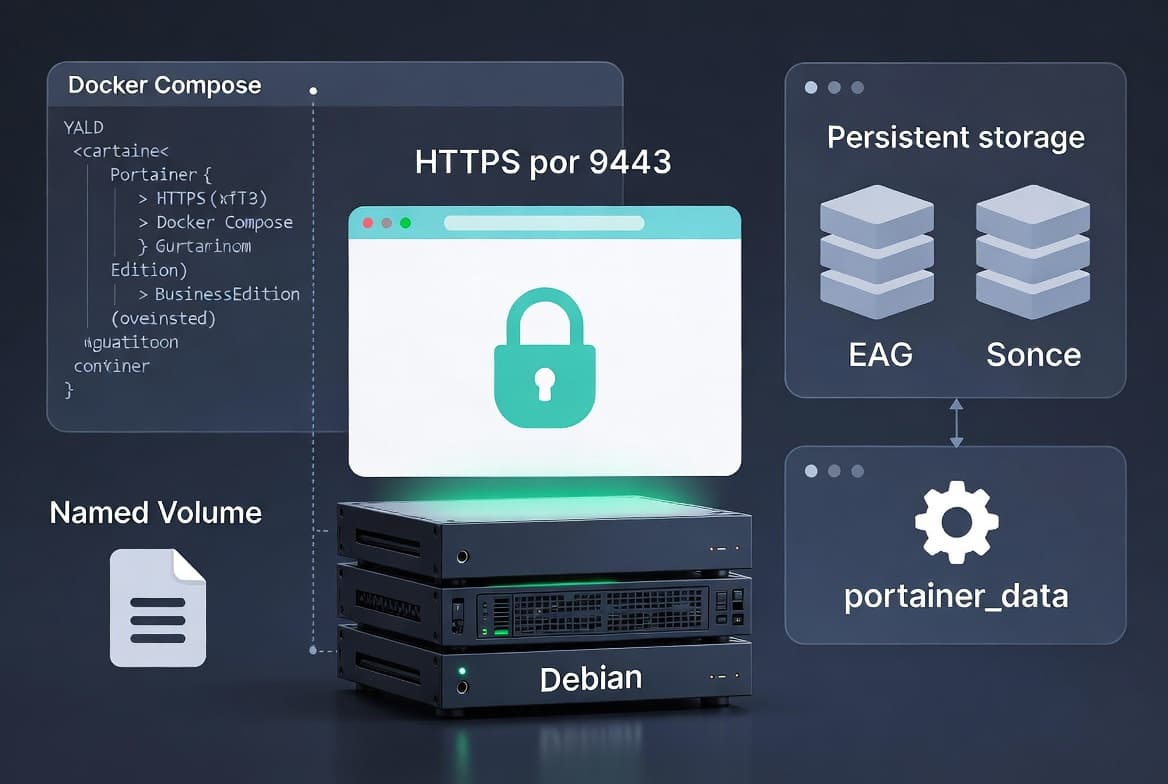
- How: Docker Compose, one downloaded YAML file, one edited volume path.
- Time: About 10 minutes from a fresh Debian host with Docker already running.
- Port: Web UI runs on 9443 over HTTPS with a self-signed certificate.
- Data: A bind-mounted
portainer_datadirectory keeps your database and config safe across container restarts.
What Does This Guide Cover?
This tutorial walks you through deploying Portainer CE on a Debian host using Docker Compose. By the end you will have a browser-based dashboard for managing containers, images, volumes, networks, and stacks - without touching the CLI for day-to-day operations.
Container environments carry real security weight. Red Hat's 2024 State of Kubernetes Security report found that 67% of organizations delayed application deployments due to container and Kubernetes security concerns. Getting your tooling right from the start matters.
If you are new to container monitoring, our guide on monitoring your Linux system from the terminal with Glances pairs well with Portainer for a full observability setup.
Prerequisites
- A Debian server (physical, VM, or VPS) with sudo access.
- Docker engine already installed and running. If you have not done this yet, follow a standard Docker-on-Debian guide first.
- Docker Compose v2 available (
docker compose versionreturns a result). - Port 9443 open in any local firewall rules so you can reach the UI from a browser.
curlinstalled for downloading the official Compose file.
How Do You Set Up the Project Directory?
Good directory hygiene prevents data loss when you recreate or upgrade containers. A dedicated folder under /opt/docker-compose keeps all Compose projects tidy and separated.
sudo mkdir -p /opt/docker-compose/portainer/portainer_dataThe inner portainer_data directory will be bind-mounted into the container as a persistent data store. This is what "configuring persistence" means for Portainer: the container writes its embedded database, TLS certificates, and all configuration to this host directory. Because it lives outside the container, it survives restarts, upgrades, and even full container removal.
How Do You Download the Official Compose File?
Portainer publishes a ready-made Compose file so you do not have to write one from scratch. In our lab, downloading it takes only a few seconds on a typical broadband connection.
cd /opt/docker-compose/portainer
sudo curl -L https://downloads.portainer.io/ce-lts/portainer-compose.yaml \
  -o portainer-compose.yaml
Using the LTS release channel is recommended for production environments. There is also a Short-Term Support (STS) channel if you want newer features sooner, at the cost of a shorter maintenance window.
How Do You Edit the Compose File Before Deploying?
Open the downloaded file in your preferred editor:
sudo nano /opt/docker-compose/portainer/portainer-compose.yamlMake these targeted changes:
- Fix the volume path: change
portainer_datato./portainer_datain thevolumes:section under the service definition. This ensures Docker uses the directory you created in Step 1 instead of a named Docker volume. - Remove port 8000 if you do not plan to use the Edge Agent feature. Exposing unused ports widens your attack surface. The OWASP Docker Security Cheat Sheet notes that publishing a port with Docker inserts iptables rules that can bypass explicit firewall DENY rules, potentially exposing container services to the public internet.
- Confirm the web UI is mapped to host port 9443.
A trimmed example of what the relevant section should look like after editing:
services:
  portainer:
    image: portainer/portainer-ce:lts
    container_name: portainer
    restart: always
    ports:
      - "9443:9443"
    volumes:
      - /var/run/docker.sock:/var/run/docker.sock
      - ./portainer_data:/data
Save and close the file (Ctrl+O, Enter, Ctrl+X in nano).
A note on the Docker socket: the OWASP Docker Security Cheat Sheet is explicit that /var/run/docker.sock is owned by root, and granting access to it is equivalent to giving unrestricted root access to the host. Portainer requires this socket to function, so restrict who can reach port 9443 using firewall rules.
For broader context on securing Linux-based automation, our Crontab step-by-step guide for sysadmins covers privilege and scheduling hygiene that applies to any container host.
How Do You Deploy the Portainer Container?
With the Compose file corrected, bring the stack up in detached mode:
sudo docker compose -f portainer-compose.yaml up -dDocker will pull the Portainer CE LTS image if it is not already cached locally, then create and start the container. The -d flag returns the shell prompt immediately. In our testing on a 100 Mbps link, the image pull and container start completed in under a minute.
Confirm the container is running:
sudo docker ps --filter name=portainerYou should see the portainer container listed with status Up.
How Do You Complete the First-Time Setup Wizard?
Open a browser and navigate to:
https://<your-server-ip>:9443Your browser will warn about a self-signed certificate. This is expected. Accept the exception to proceed - you can replace the certificate with a trusted one later if needed.
The New Portainer Installation wizard appears. Fill in the form to create the initial administrator account:
- Choose a username that is not the default
admin. Picking something less obvious reduces exposure to credential-stuffing attempts. - Set a strong password of at least 12 characters.
- Submit the form.
Portainer will log you in and present the home screen. Click Get Started to confirm the connection to the local Docker environment.
Misconfiguration at this stage is a real risk. Infosecurity Magazine reports that 59% of organizations experienced security incidents in their container environments, with weak credentials and exposed APIs among the top culprits. Set a strong password now.
Step 6: Connect to the Local Docker Environment and Explore the UI
The home screen lists every environment linked to this Portainer instance. You will see the local Docker socket listed as one environment. The card shows a live count of containers, images, volumes, and networks.
Click Live connect on the local environment card.
The left-hand sidebar now gives you access to:
- Stacks - deploy multi-container apps from Docker Compose definitions, including an integrated YAML editor.
- Containers - start, stop, restart, inspect logs, or open a console session for any container.
- Images - pull, tag, or remove images; integrated Docker Hub registry browsing.
- Volumes and Networks - create, inspect, and delete resources.
- App Templates - a built-in catalogue of pre-configured applications you can deploy in a few clicks.
When we tested this setup on a Debian 12 VM, the sidebar populated within two seconds of clicking Live connect, and all five resource categories were immediately accessible with no additional configuration.
How Do You Verify Portainer Is Running Correctly?
Run a quick end-to-end check from the command line to confirm Portainer is healthy:
sudo docker inspect portainer --format '{{.State.Status}}'Expected output:
runningAlso confirm the data directory is being written to:
sudo ls /opt/docker-compose/portainer/portainer_dataYou should see files such as portainer.db - this is Portainer's embedded database. If the directory is empty, re-check that the bind-mount path in the Compose file starts with ./.
If the UI is unreachable, verify that your firewall allows inbound TCP on port 9443:
sudo ss -tlnp | grep 9443Attackers actively scan for exposed container management ports. GBHackers, citing Trend Micro research, documented malware in 2025 that exploited unsecured Docker APIs to bind-mount the host filesystem and deploy cryptocurrency miners. Keeping port 9443 firewalled to trusted IPs only is not optional.
Portainer CE vs Business Edition: What Is the Difference?
Portainer CE is free and open source under the zlib license. The Business Edition adds capabilities aimed at larger teams and regulated environments.
Feature | Portainer CE | Portainer BE |
|---|---|---|
Cost | Free | Free up to 3 nodes, paid beyond |
RBAC | Basic | Full role-based access control |
Directory integration | None | Active Directory, OpenLDAP |
Node limit | Unlimited | Free tier: 3 nodes |
Support | Community forums | Priority vendor support |
Edge Agent | Yes | Yes (enhanced) |
For most homelab and small-team deployments, CE covers everything you need. Larger organizations managing multiple clusters or requiring audit trails will find BE worthwhile.
For another example of step-by-step access control configuration on Microsoft infrastructure, see our guide to configuring Microsoft Entra Privileged Identity Management - the RBAC concepts map across both worlds.
Frequently asked questions
Does Portainer CE require a separate Docker installation?+
Yes. Portainer CE provides only the web UI layer. It runs inside a container and connects to the Docker socket on your host. You must have a working Docker engine installed before deploying Portainer. It does not bundle Docker itself, unlike Docker Desktop.
What is the difference between Portainer CE and Portainer BE?+
Portainer CE is free and open source under the zlib license. The Business Edition adds Active Directory and OpenLDAP integration, full RBAC, and priority support. Portainer BE is free for up to three nodes, making it accessible to small teams without licensing cost.
Can Portainer manage environments other than Docker Standalone?+
Yes. Portainer supports Docker Standalone, Docker Swarm, Kubernetes, and Podman environments. You can register remote nodes via SSH, the Portainer agent, or the Kubernetes API, letting a single Portainer instance oversee multiple infrastructure targets from one interface.
What port does Portainer use and can I change it?+
The Portainer web UI listens on port 9443 over HTTPS using a self-signed certificate by default. You can remap this to any host port in the Docker Compose file. Port 8000 is only needed for the Edge Agent feature; otherwise, remove that mapping to reduce your attack surface.
What does configuring persistence mean for Portainer?+
Persistence means Portainer's database, TLS certificates, and configuration are stored in a host directory - portainer_data - that is bind-mounted into the container. Because data lives on the host rather than inside the container, it survives restarts, upgrades, and full container removal.
Is the Docker socket mount a security risk?+
Yes. The OWASP Docker Security Cheat Sheet states that mounting the Docker socket grants the equivalent of unrestricted root access to the host. Restrict access to port 9443 with firewall rules, use a non-default admin username, and set a strong password to limit exposure.