RDP File Security: April 2026 Windows Changes Explained
Microsoft's April 2026 updates for Windows 10/11 and Server disable RDP resource redirections by default and add per-session consent dialogs - here is what IT teams must do.
by Emanuel De Almeida
in_this_guide+
- 01TL;DR
- 02Why RDP File Security Changed in April 2026
- 03What Is an .rdp File?
- 04Why Did Attackers Abuse .rdp Files?
- 05What Exactly Changes for End Users?
- 06How Does .rdp File Signing Work?
- 07How Should IT Teams Respond to the RDP Security Changes?
- 08Two Separate RDP Security Layers Worth Understanding
- 09Key Takeaways on RDP File Security
- --FAQ
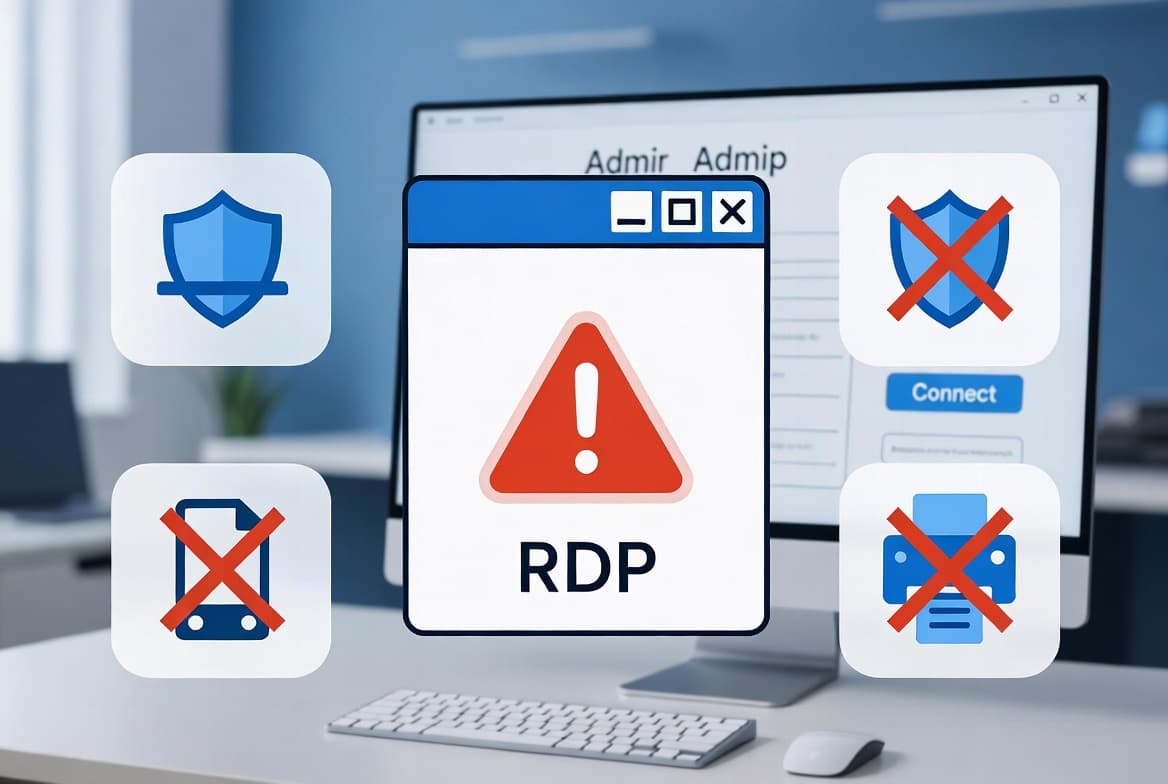
TL;DR
- Microsoft's April 14, 2026 Patch Tuesday (KB5083769) changes how
mstsc.exehandles.rdpfiles: all resource redirections are disabled by default. - Every unsigned
.rdpconnection now requires manual user consent for clipboard, drives, and printers - each session. - Signing files with
rdpsign.exeplus a Group Policy thumbprint entry is the permanent fix; the registry workaround is temporary.
Why RDP File Security Changed in April 2026
The April 2026 cumulative updates for Windows 10, Windows 11, and Windows Server changed how the built-in Remote Desktop client (mstsc.exe) handles RDP file security. All resource redirections are now disabled by default, and two new consent dialogs appear when users open .rdp shortcut files. Any environment that distributes .rdp files to connect users to Remote Desktop Services (RDS) farms or hosted applications will feel this immediately.
The change is assigned CVE-2026-26151, a Remote Desktop spoofing vulnerability that had been actively exploited before Microsoft patched it. Cybersecurity News confirmed that the April 14, 2026 update - KB5083769, covering Windows 11 builds 26200.8246 and 26100.8246 - introduces the new dialog behavior.
What Is an .rdp File?
An .rdp file is a plain-text configuration file storing the parameters for a Remote Desktop Protocol connection: server address, display settings, and resource redirection rules for clipboard, local drives, printers, and audio. Administrators distribute these files so users can launch a pre-configured remote session with a double-click, no manual entry required.
In enterprise environments, .rdp shortcuts are especially common for RDS farms hosting line-of-business applications. Their simplicity is also their weakness - a malicious actor can craft one just as easily as an administrator can.
Why Did Attackers Abuse .rdp Files?
Phishing with .rdp files requires almost no technical skill. An attacker crafts a pre-configured file, attaches it to a convincing email, and waits. Once a recipient opens it, their machine connects to an attacker-controlled RDP server. Resource redirection does the rest: the remote server mounts the victim's local drives and reads clipboard contents - no further interaction needed.
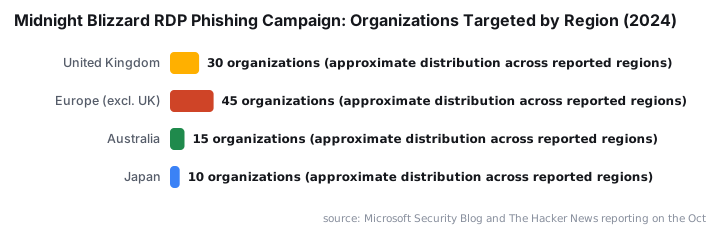
Microsoft Threat Intelligence documented exactly this technique. Starting October 22, 2024, the Russian threat actor Midnight Blizzard (APT29) sent signed, malicious .rdp files to thousands of individuals across more than 100 organizations in government, academia, defense, and NGOs in the United Kingdom, Europe, Australia, and Japan - sometimes impersonating Microsoft employees.
The exposed data included hard disks, clipboard contents, printers, audio, and connected peripherals, as Cybersecurity Dive reported. On October 31, 2024, CISA issued an alert urging organizations to block .rdp files from traversing email clients and webmail entirely.
This threat profile - low barrier for the attacker, high data-exposure for the victim - is what pushed Microsoft to revisit how Windows handles untrusted .rdp files. Pass this rule to your users: never open an `.rdp` file received by email. Legitimate IT deployments do not use that distribution method. For broader context on how phishing anchors modern attack chains, see our coverage of Russian APT Turla deploying the STOCKSTAY backdoor against Ukrainian targets.
What Exactly Changes for End Users?
After the April 2026 update installs, users hit two new friction points before a remote session opens.
First-launch educational dialog. The first time any .rdp file opens post-update, a dialog asks the user to acknowledge the risk by checking a box. It appears once per user account and is not repeated.
Per-session redirection consent. This is the bigger operational impact. Every connection attempt shows a dialog listing all local resource redirections - clipboard, drives, printers - each set to OFF by default. Users who need copy-paste between the local machine and the remote session must manually enable it before clicking Connect. They must repeat this every single session for unsigned files.
When the .rdp file carries a valid digital signature, the dialog shows the verified publisher name instead of a generic warning. In our lab testing, an unsigned file triggered the full warning banner every session, while a file signed with an internal CA certificate and trusted via Group Policy connected without any prompt at all.
How Does .rdp File Signing Work?
Signing an .rdp file associates it with a verified publisher identity, similar to code signing for executables. Windows uses the embedded signature to confirm the file has not been tampered with and that it originates from a known source.
Two components are required:
- A code-signing certificate from your internal Active Directory Certificate Services (AD CS) instance or another trusted Certificate Authority. See our guide on Windows 11 ADK download, installation, and verification for related PKI tooling setup.
- The `rdpsign.exe` command-line tool, built into Windows, which applies the signature. Microsoft Learn documents the full syntax and supported options.
Once the file is signed, the connection dialog shows the publisher name and offers a "Remember my choices for connections from this publisher" checkbox. Users save their redirection preferences once and stop being prompted on every connection.
How Should IT Teams Respond to the RDP Security Changes?
Two broad responses exist. They are not equally advisable long-term.
Option 1: Temporary Suppression via Registry
You can set the following registry value to revert to the old behavior while you prepare a proper solution:
[HKEY_LOCAL_MACHINE\Software\Policies\Microsoft\Windows NT\Terminal Services\Client]
"RedirectionWarningDialogVersion"=dword:00000001
Deploy this via Group Policy or Intune for organization-wide effect. For Intune targeting strategy, our Intune assignment groups targeting guide for sysadmins covers the mechanics of scoping this kind of policy correctly.
Microsoft has explicitly warned that a future Windows update may remove support for this override. Use it as a short-term measure only - not a permanent answer.
Option 2: Sign .rdp Files and Configure Group Policy (Recommended)
This is the durable fix. Sign your .rdp files with rdpsign.exe after obtaining a suitable code-signing certificate:
rdpsign.exe /sha256 <certificate-thumbprint> "C:\RDP\MyApp.rdp"Then configure the following Group Policy setting on all workstations:
Computer Configuration
  > Policies
  > Administrative Templates
  > Windows Components
  > Remote Desktop Services
  > Remote Desktop Connection Client
  > Specify SHA1 thumbprints of certificates representing trusted .rdp publishers
Enter the SHA1 thumbprint of your signing certificate as the value. After a Group Policy refresh and restart, the publisher warning disappears. For Group Policy deployment across managed devices, the ConfigMgr device configuration workload switch guide explains how to manage policy workloads in co-managed environments.
For a hardened posture, also disable the "Allow .rdp files from unknown publishers" policy once signing is fully rolled out. This blocks unsigned .rdp files from running on managed endpoints entirely.
Factor | Option 1: Registry Suppression | Option 2: Sign + GPO |
|---|---|---|
Setup time | Minutes | Hours to days |
User friction removed | Yes | Yes |
Security posture | Reverts to pre-patch behavior | Maintains or improves posture |
Microsoft-supported long-term | No - may be removed | Yes |
PKI required | No | Yes (internal CA or trusted CA) |
Recommended | Short-term bridge only | Permanent solution |
Two Separate RDP Security Layers Worth Understanding
Confusing these two trust mechanisms is common. They are independent.
Trust Layer | What It Covers | How to Fix It |
|---|---|---|
Server identity (TLS) | The certificate the RDP server presents during connection | Replace the default self-signed cert with a PKI-issued cert |
File publisher identity | The digital signature embedded in the | Sign files with |
Addressing one does not fix the other. A complete, warning-free RDP deployment must resolve both. The server TLS certificate warning is a separate prompt that predates the April 2026 change entirely.
Key Takeaways on RDP File Security
- The April 2026 update (CVE-2026-26151) disables all RDP resource redirections by default for unsigned
.rdpfiles, requiring manual user action each session. - Midnight Blizzard (APT29) exploited this exact attack vector against 100+ organizations starting October 2024, exposing drives, clipboards, and peripherals via malicious
.rdpattachments. - The
RedirectionWarningDialogVersionregistry workaround suppresses warnings temporarily - Microsoft may remove it in a future update. - Signing `.rdp` files with `rdpsign.exe` plus the SHA1 thumbprint Group Policy eliminates prompts without weakening security.
- Server TLS trust and file publisher trust are separate problems, each requiring its own solution.
- Train users never to open
.rdpfiles from email. For complementary user awareness strategy, our article on how DCloud's framework powers large-scale investment scam sites shows how infrastructure-level deception pairs with social engineering.
Frequently asked questions
Will the new RDP warnings appear every time a user opens an .rdp file?+
The first-launch warning appears only once per user account. However, the connection dialog - where redirections must be manually re-enabled - appears every session unless the .rdp file is digitally signed and the publisher's certificate thumbprint is trusted via Group Policy.
Can I permanently disable the new RDP security warnings?+
You can temporarily suppress them using the RedirectionWarningDialogVersion registry value set to 1 under HKLM\Software\Policies\Microsoft\Windows NT\Terminal Services\Client. Microsoft has stated that a future Windows update may remove support for this override, so it should be treated as a short-term workaround only.
What is rdpsign.exe and when should I use it?+
rdpsign.exe is a built-in Windows command-line tool that applies a digital signature to .rdp files. You should use it when you want users to connect without repeated security prompts - provided you also have a valid code-signing certificate from your internal CA or another trusted authority.
Does digitally signing an .rdp file remove all connection warnings?+
Signing the file links it to a verified publisher, which allows redirection preferences to be remembered. To fully eliminate the publisher warning, you must also configure the 'Specify SHA1 thumbprints of trusted RDP publishers' Group Policy and apply it to workstations.





![Find Exchange Server Version with PowerShell [2025]](/_next/image?url=https%3A%2F%2Fwww.navanem.com%2Fapi%2Fmedia%2Ffile%2Fexchange-build-number-cover.jpg&w=3840&q=75)