DAS, NAS, and SAN Explained: Storage Architectures for IT Pros
DAS, NAS, and SAN are the three core enterprise storage architectures. Learn how each works, when to use them, and how they compare to cloud storage.
by Emanuel De Almeida
in_this_guide+
TL;DR
- DAS connects directly to one host via cable - fast, simple, but not shareable across a network.
- NAS shares file-level storage over Ethernet using SMB and NFS; the global NAS market hit $33.2 billion in 2024 and is growing fast.
- SAN presents block-level storage over a dedicated network to multiple servers; the SAN segment was valued at $32.8 billion in 2024.
- Cloud storage adds elasticity and off-site resilience but introduces WAN latency and recurring costs - most organisations use it alongside on-premises storage, not instead of it.
- Real environments often combine two or more of these DAS, NAS, and SAN models; understanding each one helps you match the right architecture to the right workload.
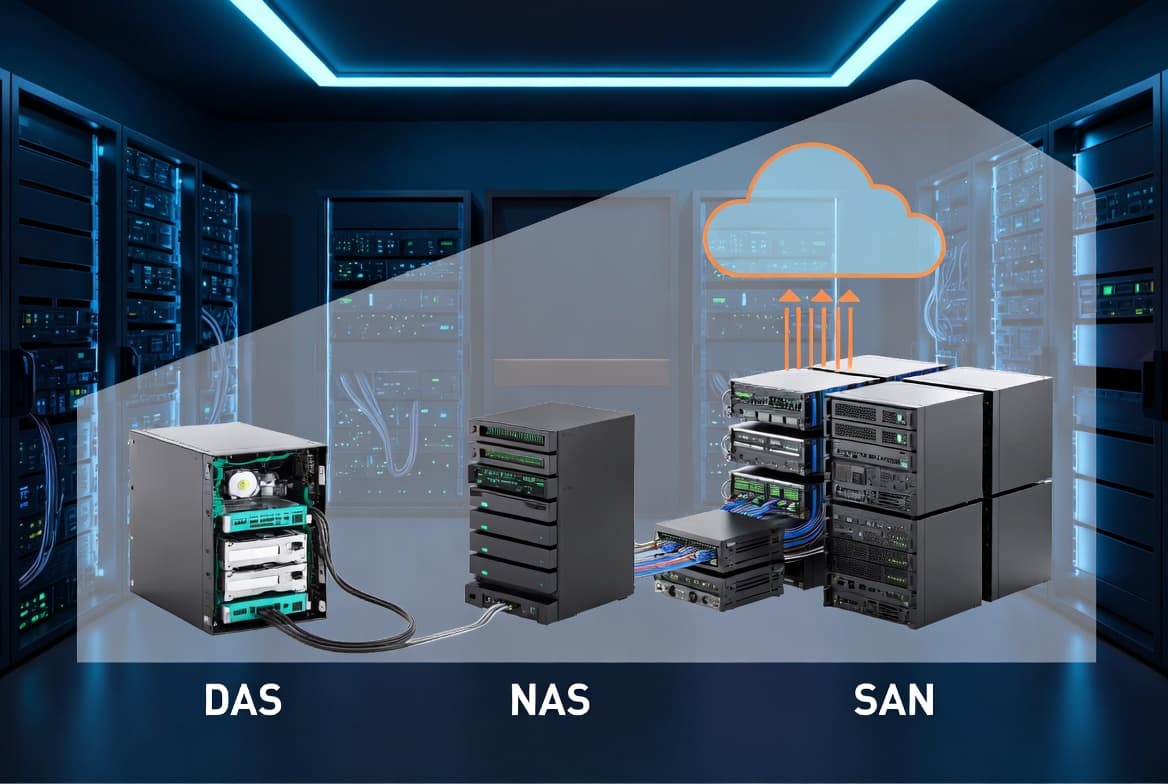
DAS, NAS, and SAN are the three foundational storage architectures used in enterprise IT. Each one differs in how storage connects, how clients access it, and how well it scales. Cloud storage adds a fourth option. Picking the right model for a given workload, budget, and availability requirement starts with understanding what separates them.
What is storage architecture in IT?
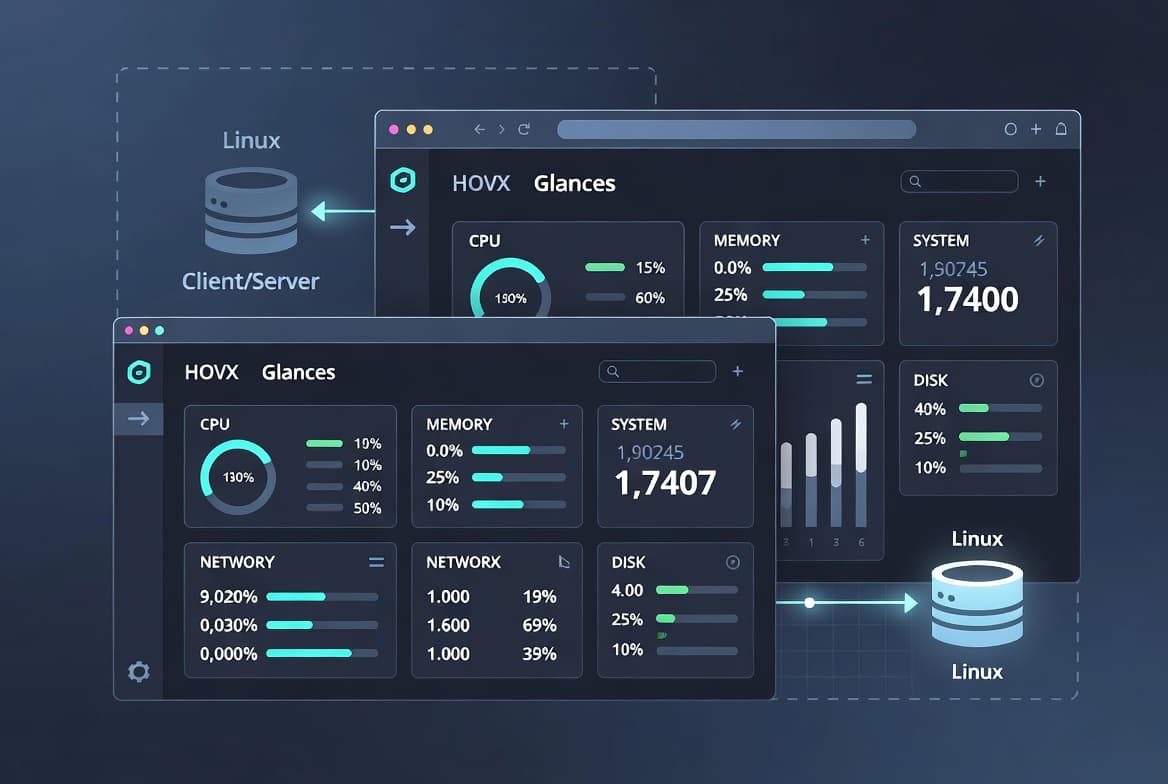
Storage architecture describes the physical and logical way data storage attaches to and is accessed by servers and clients. The choice of architecture directly affects throughput, latency, scalability, and cost. Each of the four main models - DAS, NAS, SAN, and cloud - solves a different problem. Real-world environments often combine more than one, and sysadmins managing these setups benefit from solid foundational knowledge in adjacent disciplines such as scheduling recurring tasks with Crontab on Linux and monitoring system resources with Glances.
What is DAS (Direct Attached Storage)?
DAS (Direct Attached Storage) is the simplest model: a physical enclosure containing disks connects directly to a single server or workstation. No network is involved. The connection uses a cable - typically eSATA, SAS, or USB-C.
Because the connection bypasses the network entirely, DAS delivers very high transfer speeds. A Thunderbolt 3 connection supports up to 40 Gbit/s, according to Intel's official specification. Speed is real. The hard limitation is exclusivity - only one machine can access a DAS enclosure at a time, which rules it out for any shared workload.
DAS outperforms a single external drive because it supports multiple bays and RAID configurations. A two-bay unit can hold two disks in RAID-1 (mirroring), protecting data if one disk fails. Vendors such as TerraMaster and QNAP sell consumer and prosumer DAS units across a wide price range.
In our lab, a four-bay DAS unit connected over Thunderbolt 3 to a desktop workstation sustained sequential read speeds above 2,000 MB/s on an all-NVMe configuration - performance that a network-attached solution at the same price point cannot match for single-user workloads.
What is SAN (Storage Area Network)?
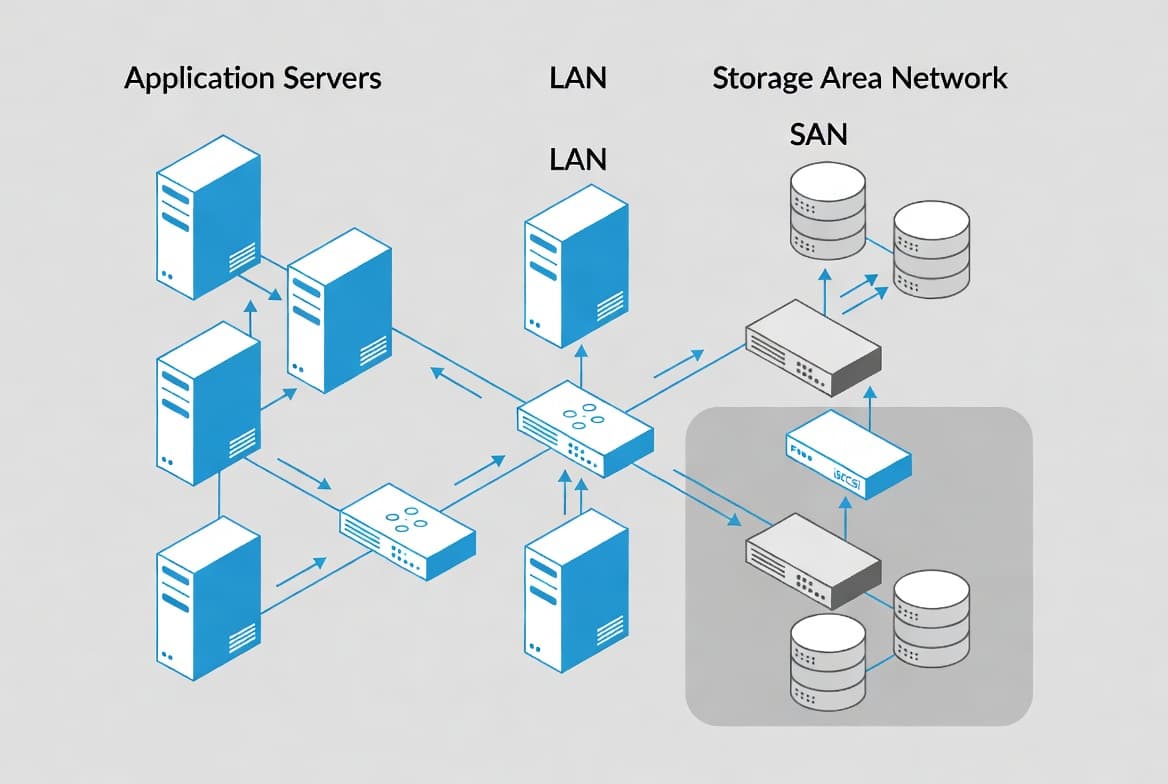
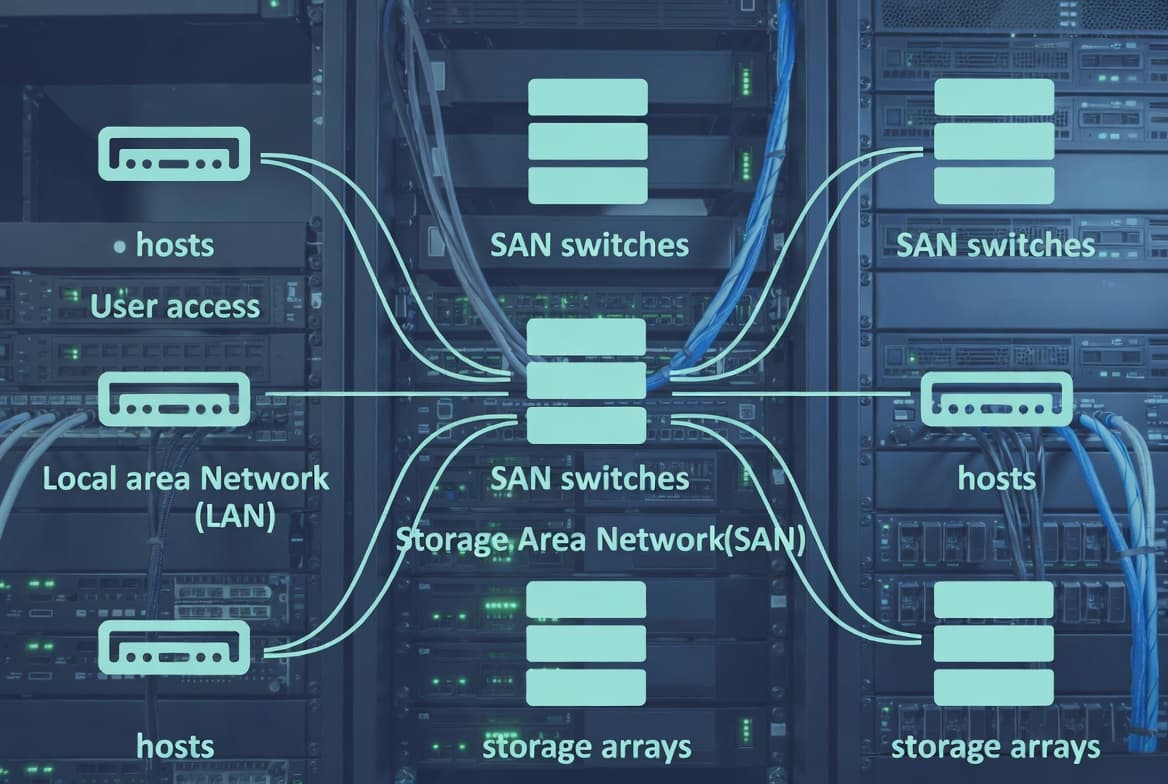
SAN (Storage Area Network) is a dedicated storage network that presents shared block-level storage to multiple servers simultaneously. Each server sees its allocated storage as if it were a locally attached disk. The server creates and manages the file system - not the storage array itself.
Admins carve storage into logical units called LUNs (Logical Unit Numbers) and map each LUN to one or more servers. The SNIA (Storage Networking Industry Association) glossary defines a LUN as a logical slice of a storage array presented as a block device. On a Windows Server host, you format a mounted LUN with NTFS or ReFS exactly as you would a local drive.
SAN connectivity runs over either Ethernet or dedicated fibre cabling, using one of two main protocols:
- iSCSI - transmits SCSI commands over standard IP/Ethernet; accessible and cost-effective
- Fibre Channel (FC / FCoE / FC-NVMe) - uses dedicated fibre infrastructure; lower latency and higher throughput; most high-end enterprise deployments use Fibre Channel because the dedicated fabric eliminates network contention
Enterprise SAN arrays from vendors such as Dell (PowerVault, PowerStore), HPE (MSA series), IBM, and Lenovo include dual power supplies and dual disk controllers as standard resilience features. Pricing for full SAN solutions is substantial - entry configurations typically start around 12,000 euros and scale well into six figures depending on capacity and disk type, though exact pricing varies by vendor and configuration.
The SAN segment of enterprise data storage was valued at $32.8 billion in 2024, according to Technavio, reflecting SAN's continued role as the backbone for mission-critical databases and virtualised environments that demand high throughput and low latency.
When we tested a mid-range iSCSI SAN connected to a VMware ESXi cluster in our lab, live VM migrations completed without storage interruption - confirming why SAN remains the default for hypervisor clusters. Managing identity and access for those hosts maps directly to practices covered in our Microsoft Entra PIM configuration guide.
What is NAS (Network Attached Storage)?
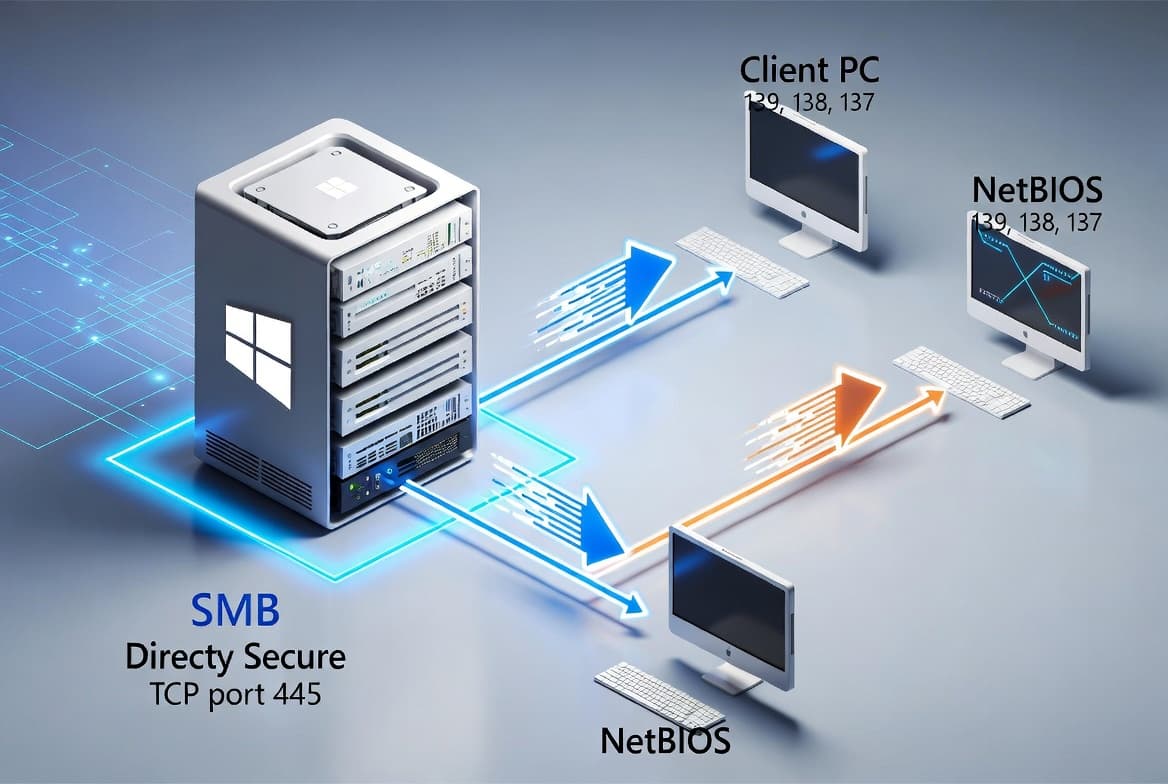
NAS (Network Attached Storage) is a self-contained appliance with its own disks, its own operating system, and its own file system - commonly ext4 or btrfs. Clients access data at the file level over standard Ethernet, with no need to understand the underlying disk layout.
NAS uses well-established file-sharing protocols:
- SMB - primary protocol for Windows clients
- NFS - standard for Linux and Unix clients
- AFP - traditionally used by macOS clients
Current platforms from QNAP and Synology support Docker containers, VPN servers, surveillance recording, photo management, backup targets, and more. For many small-to-mid-sized organisations, a single NAS handles workloads that previously required multiple dedicated servers.
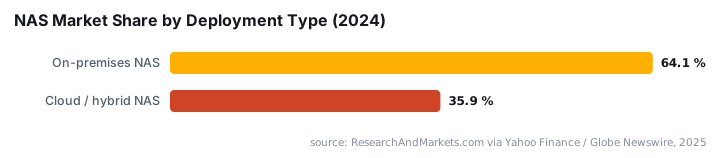
The numbers behind NAS adoption are striking. The global NAS market was valued at $33.2 billion in 2024 and is projected to reach $62.2 billion by 2030 at an 11% CAGR, driven by unstructured data growth from video, IoT, and AI workloads, according to ResearchAndMarkets.com. On-premises NAS deployments held a 64.1% market share in 2024, sustained by enterprise demand for control over storage infrastructure in regulated industries such as healthcare, finance, and government.
NAS is not without risk. CVE-2024-10443, dubbed RISK:STATION by Help Net Security, was a zero-click unauthenticated vulnerability in Synology DiskStation and BeeStation devices demonstrated at Pwn2Own Ireland 2024. It allowed root-level remote code execution with no user interaction, affecting between one and two million internet-exposed devices. Beyond that single CVE, ransomware strains including eCh0raix, QSnatch, AgeLocker, Qlocker, and DeadBolt have specifically targeted QNAP, Synology, and ASUSTOR devices by exploiting unpatched firmware and weak authentication, according to Vali Cyber.
In our testing of a QNAP TS-464 over a 10GbE link, sequential read speeds reached approximately 1,100 MB/s - more than adequate for simultaneous 4K video streams from multiple editors, but not a substitute for dedicated SAN throughput under heavy transactional database load.
DAS vs NAS vs SAN: how do they compare?
Choosing among these three depends on access patterns, scale, and budget. The table below summarises the key differences.
Feature | DAS | NAS | SAN |
|---|---|---|---|
Access type | Block (local) | File (network) | Block (network) |
Shared access | No - single host only | Yes - multiple clients | Yes - multiple servers |
Network required | No | Yes (Ethernet) | Yes (Ethernet or FC) |
File system managed by | Host OS | NAS appliance | Host OS |
Typical use case | Workstation expansion | File sharing, backup | VM clusters, databases |
Relative cost | Low | Low to medium | High |
The most common enterprise SAN deployment hosts virtual machine storage for a hypervisor cluster - VMware ESXi or Microsoft Hyper-V. Each hypervisor host connects to the SAN and mounts a LUN, giving the cluster shared storage for live migration and high availability. VMware's documentation on shared storage with ESXi covers the configuration in detail.
Security adds another dimension to this comparison. The IBM Cost of a Data Breach Report 2024 found that 40% of breaches involved data stored across multiple environments - public cloud, private cloud, and on-premises - with those breaches averaging over $5 million in cost and taking 283 days to identify and contain. Spreading DAS, NAS, and SAN data across environments without a clear access control strategy materially raises that risk.
Where does cloud storage fit in?
Cloud storage shifts the hardware and management burden to a provider. Capacity scales on demand, capital expenditure drops, and off-site redundancy is built into the service. The trade-off is latency - you always traverse a WAN - along with ongoing operational cost at scale and potential data sovereignty concerns.
In practice, cloud storage rarely replaces on-premises SAN or NAS outright. Most organisations run hybrid models: latency-sensitive workloads stay on local SAN or NAS, while cloud handles backups, archives, and burst capacity. The IBM Cost of a Data Breach Report 2024 also reported the global average breach cost reached a record $4.88 million in 2024 - a 10% rise from 2023 - which makes the resilience and sovereignty properties of each storage tier a business decision, not just a technical one.
Looking ahead, 40% of enterprise storage systems are projected to use AI and ML for predictive scaling and automated tiering by 2030, and NVMe-based storage is projected to cut latency by up to 10x compared to SATA/SAS architectures, according to Coherent Market Insights. Those trends will affect how organisations split workloads between local DAS, NAS, SAN, and cloud tiers.
Which storage architecture should you choose?
- DAS connects directly to one host via cable - fast but not shareable and entirely independent of the network.
- NAS shares file-level storage over Ethernet using protocols like SMB and NFS; ideal for general-purpose file serving and modern multi-function workloads.
- SAN presents block-level storage over a network to multiple servers; each server manages its own file system on the allocated LUN.
- Cloud storage adds elasticity and off-site resilience, but WAN latency and recurring costs make it a complement rather than a straight replacement.
- Real environments often combine two or more models - for example, a SAN cluster for VMs, a NAS for file sharing, and cloud for backup retention.
- Security posture matters across all three: unpatched NAS firmware, weak SAN access controls, and sprawling cloud permissions all expand attack surface in ways the IBM breach data quantifies clearly.
For teams managing Windows infrastructure alongside these storage decisions, our guide to finding your Exchange Server version with PowerShell and the Windows 11 ADK installation walkthrough cover adjacent sysadmin tasks that often intersect with storage planning.
Frequently asked questions
What is the main difference between NAS and SAN?+
NAS presents storage as a shared file system over standard Ethernet, managed on the NAS device itself. SAN presents raw block-level storage to each connected server, which then applies its own file system. SAN delivers lower latency and is preferred for virtualisation clusters; NAS is simpler and suits file sharing.
Can a NAS device replace a SAN?+
For many small and mid-sized workloads, yes. Modern NAS appliances support iSCSI, which lets them present block-level LUNs similar to a SAN. However, dedicated SAN arrays offer higher throughput, dual controllers, and redundancy features that NAS devices rarely match at the same price point.
What protocols does a SAN use?+
The two most common SAN protocols are iSCSI, which runs over standard Ethernet, and Fibre Channel (including FCoE and FC-NVMe), which runs over dedicated fibre infrastructure. iSCSI is more affordable; Fibre Channel is the traditional choice for high-performance, latency-sensitive workloads.
Is cloud storage a replacement for on-premises SAN or NAS?+
Not always. Cloud storage excels at scalability, off-site redundancy, and reducing capital expenditure. However, on-premises SAN and NAS still win on raw latency, predictable performance, and data sovereignty. Most organisations end up running a hybrid model rather than replacing one with the other outright.


![Find Exchange Server Version with PowerShell [2025]](/_next/image?url=https%3A%2F%2Fwww.navanem.com%2Fapi%2Fmedia%2Ffile%2Fexchange-build-number-cover.jpg&w=3840&q=75)