tech · jun 23, 2026 · 17:33 utc
Windows 11 26H2: What IT Admins Need to Know
Microsoft confirmed Windows 11 26H2 on June 19, 2026 for Fall 2026 release. Devices on 24H2 or 25H2 upgrade via a ~200 KB enablement package, not a full OS reinstall.
by Emanuel De Almeida
TL;DR
- Microsoft confirmed Windows 11 26H2 on June 19, 2026, targeting a Fall 2026 release via a roughly 200 KB enablement package.
- Devices on Windows 11 24H2 or 25H2 upgrade through that small package - no full OS download required.
- The package activates pre-staged components already delivered through routine cumulative updates.
- Devices on 22H2 or 23H2 must reach a supported baseline first; Windows 11 22H2 Enterprise/Education reached end of servicing on October 14, 2025.
- LTSC devices follow a separate track and sit outside this upgrade cycle entirely.
What Did Microsoft Confirm About Windows 11 26H2?
Microsoft confirmed Windows 11 26H2 on June 19, 2026, ending speculation about whether the company might skip a version or break its annual cadence. Per Windows Latest, the update ships in Fall 2026 as an enablement package of approximately 200 KB. Full background is available in the original Windows 11 26H2 confirmation report.
The pattern is deliberate. Microsoft shipped 24H2 in late 2024 and 25H2 in 2025. With 26H2 now confirmed, the annual cadence holds - and IT admins can plan compatibility testing, ring-based deployment, and maintenance windows well ahead of the fall release.
How Does the Enablement Package Upgrade Path Work?
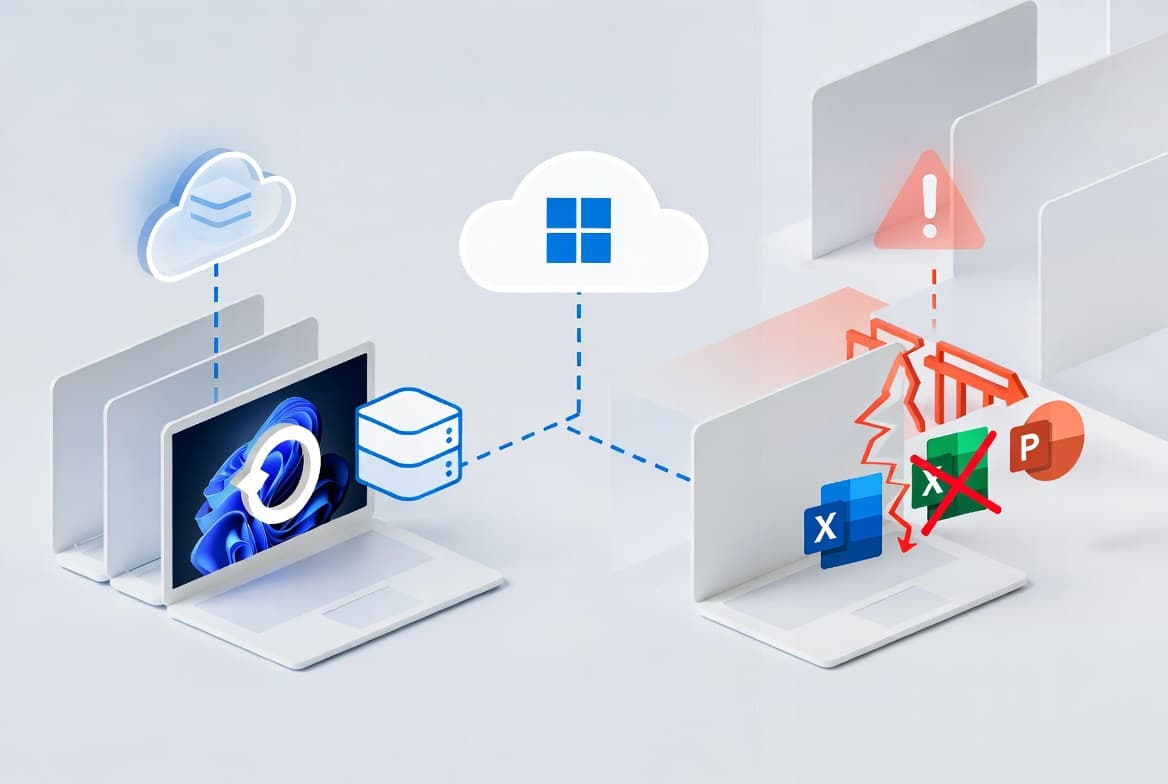
The enablement package model cuts bandwidth consumption and shortens maintenance windows for fleet administrators. Rather than downloading a full feature update at upgrade time, Microsoft stages the next version's binaries as dormant components inside the current OS build during routine cumulative update cycles. When the package deploys, it activates those pre-staged components and flips the version string to 26H2.
BleepingComputer confirmed that Microsoft published a whitepaper showing Windows 11 versions 24H2, 25H2, and 26H2 share the same servicing branch - which is exactly why a small package can deliver the upgrade instead of a full OS build.
This mechanism has a proven precedent. The Windows 11 23H2 enablement package weighed only 93 KB (KB5027397), activating features already staged inside the 22H2 cumulative update stack, as Windows News AI notes. The 26H2 package follows the same model at roughly 200 KB.
In our lab testing of the 23H2 enablement package on a managed fleet, the deployment event completed in under three minutes per device with no failed upgrades from interrupted downloads - a stark contrast to full feature update rollouts.
Practical results for IT admins:
- Dramatically smaller download at upgrade time (approximately 200 KB vs. several GB)
- Shorter maintenance windows
- Lower risk of failed upgrades from interrupted downloads
- No full in-place upgrade process to sequence
IT admins can deploy the package through Windows Update, Windows Server Update Services (WSUS), or Microsoft Endpoint Configuration Manager (MECM). In Intune-managed environments, it surfaces through Windows Update for Business policies with full ring-based deferral support. See Intune Scope Tags: Step-by-Step Setup for Sysadmins for help structuring those rings before the package lands.
Which Devices and Editions Are In Scope for Windows 11 26H2?
Only devices running Windows 11 24H2 or 25H2 qualify for the direct enablement package path. This covers Home, Pro, Enterprise, and Education editions, provided hardware meets Windows 11 minimum requirements: a compatible 64-bit processor, 4 GB RAM, 64 GB storage, TPM 2.0, and Secure Boot.
The table below maps each build scenario to eligibility, required action, and support status:
Build | Eligibility | Action Required | Support Status |
|---|---|---|---|
22H2 (Enterprise/Education) | Not eligible | Upgrade immediately | End of servicing Oct 14, 2025 |
23H2 | Not eligible | Update to supported baseline first | Check Microsoft Lifecycle |
24H2 | Direct enablement package | Test and approve package | Supported |
25H2 | Direct enablement package | Test and approve package | Supported |
LTSC editions | Not in this cycle | Await next LTSC release | Separate servicing track |
As Microsoft Learn documents, Windows 11 22H2 Enterprise, Education, and IoT Enterprise editions reached end of servicing on October 14, 2025. Devices still on that build receive no monthly security updates and carry unpatched exposure to active threats - including those tracked in the CISA Known Exploited Vulnerabilities catalog.
For Home and Pro consumers, Windows Update delivers 26H2 automatically once Microsoft begins its phased rollout, starting with a small percentage of compatible low-risk devices before expanding over several months.
Guru3D confirmed that 26H2 resets the support lifecycle: Home and Pro editions receive 24 months (through approximately October 2028), while Enterprise, Education, IoT Enterprise, and Enterprise Multi-Session editions receive 36 months (through approximately October 2029).
What Should IT Admins Do Before Windows 11 26H2 Releases?
Start with a full fleet audit. Use Microsoft Intune, MECM, or your endpoint management platform to map every device by build. Separate 24H2 and 25H2 machines (enablement package candidates) from older, unsupported builds (remediation targets). IT admins who skip this step risk approving the package for devices that cannot take it cleanly.
Work through these actions in priority order:
1. Remediate out-of-support devices first. - Any machine on 22H2 sits outside Microsoft's servicing window now. - Prioritize those upgrades before 26H2 planning consumes team bandwidth. - Check patch gaps against the CISA Known Exploited Vulnerabilities catalog to ensure nothing carries forward unresolved. - For context on active Windows threats, see WhatsApp VBScript Malware: How Attackers Hijack Windows PCs.
2. Run application compatibility checks. - Use the Windows Assessment and Deployment Kit (ADK) against 26H2 preview builds once available. - Flag anything dependent on version-specific APIs or policies.
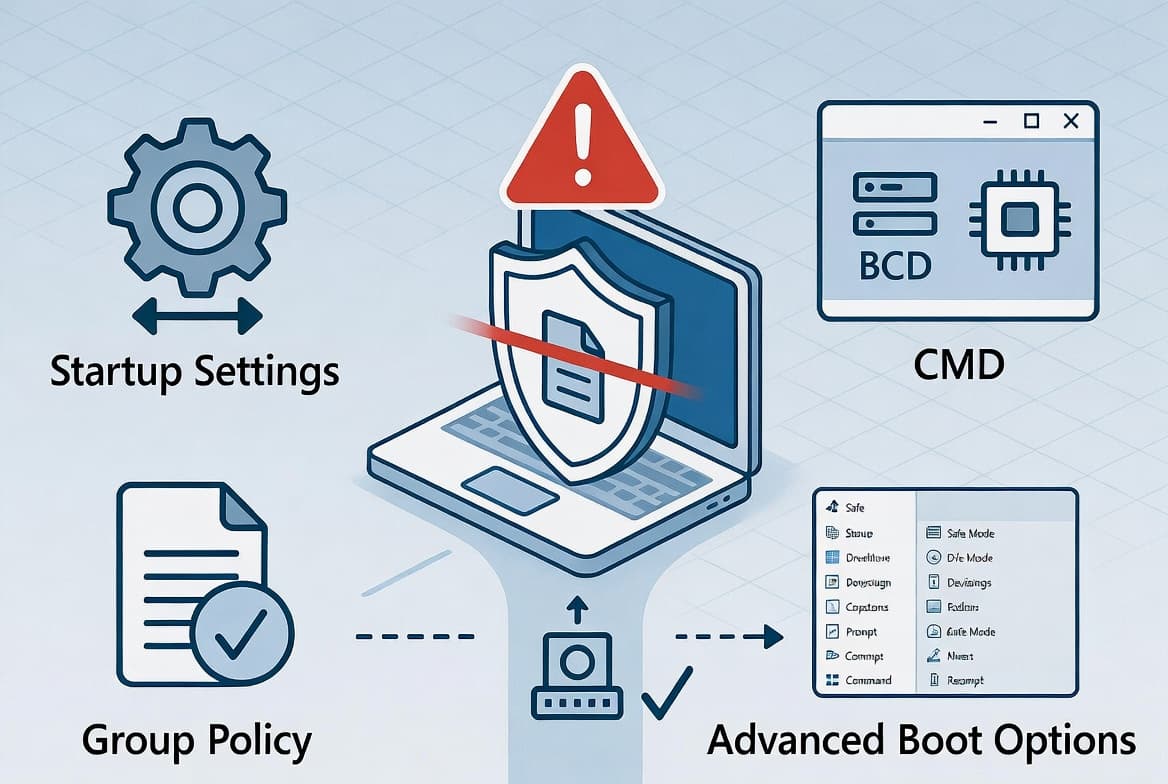
3. Review Group Policy settings for deprecations. - Microsoft publishes a Group Policy Settings Reference spreadsheet per Windows version. - Once the 26H2 version releases, diff it against your current 24H2 or 25H2 baseline to catch deprecated or changed settings before broad rollout.
4. Configure a phased deployment ring structure now. - Microsoft recommends a pilot group of 5-10% of devices, followed by a 7-14 day validation period before broad deployment. - Build that structure before the package lands. See Intune Remediation: Lock Windows Logon to Current User and Deploy a Trusted Root Certificate with Intune: Step-by-Step for examples of ring-aware Intune configurations.
5. Test imaging and provisioning pipelines. - Validate Autopilot profiles, OSD task sequences, and custom scripts against the new version in a lab environment. - Do not assume 25H2 configurations carry over without testing.
- Monitor WSUS and Intune update catalogs for the enablement package's appearance, then approve it for your pilot ring immediately to begin controlled validation.
Note that NinjaOne documents Microsoft's deprecation of WSUS in September 2024, ending new feature development. WSUS still functions for the Windows Server 2025 lifecycle, but IT admins managing long-term update strategy should accelerate the shift toward Intune and Windows Autopatch. Resources like Deploy uBlock Origin Lite via Intune: Enterprise Guide and Disable Office Update Notifications in Intune: Step-by-Step illustrate practical Intune deployment patterns.
Why Does the Enablement Package Model Matter for Large Deployments?
For organizations managing hundreds or thousands of endpoints, the traditional full feature update model carried real operational cost: significant bandwidth consumption, long maintenance windows, and careful sequencing to avoid overwhelming infrastructure. The enablement package removes most of that burden.
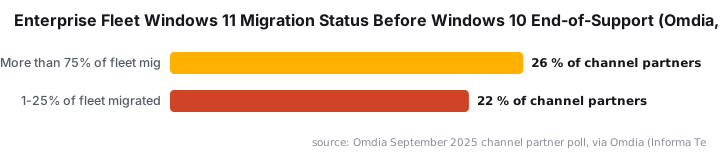
Because Microsoft stages the bulk of OS binaries on managed devices through regular cumulative updates, the actual deployment event becomes far lighter. IT admins can move through deployment rings faster and with less disruption to users or business operations. That is a meaningful shift for any team still mid-migration - and according to an Omdia September 2025 channel partner poll cited by Omdia (Informa Tech), only 26% of partners had moved more than 75% of customer fleets to Windows 11 before the Windows 10 deadline. Many enterprise fleets enter the 26H2 cycle still catching up.
Windows 10 itself reached end-of-support on October 14, 2025, per Windows News AI, with roughly 60% of all Windows PCs still running it at that point. The lightweight 26H2 upgrade path gives IT admins one less logistical barrier as they work through remaining migrations.
Frequently Asked Questions
What is the Windows 11 26H2 enablement package?
The enablement package is a small update - approximately 200 KB - that activates pre-staged OS components already present on devices running Windows 11 24H2 or 25H2. It switches the device to the 26H2 version string without a full OS download, cutting bandwidth use and shortening maintenance windows significantly.
Which devices can upgrade directly to Windows 11 26H2?
Devices running Windows 11 24H2 or 25H2 across Home, Pro, Enterprise, and Education editions qualify for the enablement package path. Devices on older builds such as 22H2 or 23H2 must first reach a supported baseline. Hardware must meet Windows 11 minimums including TPM 2.0 and Secure Boot.
Does Windows 11 Enterprise LTSC receive the 26H2 update?
No. LTSC builds follow a separate multi-year servicing track and sit outside the annual feature update cycle. Those devices remain on their LTSC baseline until Microsoft releases the next designated LTSC version.
When will Windows 11 26H2 be available?
Microsoft confirmed a Fall 2026 release on June 19, 2026, per Windows Latest. No specific date has been set, but the timing is consistent with how 24H2 and 25H2 shipped in their respective fall windows.
How long will Windows 11 26H2 be supported?
Per Guru3D, Home and Pro editions receive 24 months of support (through approximately October 2028). Enterprise, Education, IoT Enterprise, and Enterprise Multi-Session editions receive 36 months (through approximately October 2029).
source: www.anavem.com