Two-Factor Authentication (2FA) Explained for IT Pros
2FA blocks more than 99.9% of automated credential attacks by requiring two independent identity proofs. Learn which method fits your risk level and how to deploy it.
by Emanuel De Almeida
in_this_guide+
- 01TL;DR
- 02What is two-factor authentication?
- 03How does 2FA work? The authentication sequence explained
- 04Which 2FA method should your organization deploy?
- 05Where is 2FA used across enterprise environments?
- 06What are the real advantages and trade-offs of 2FA?
- 07Are common 2FA misconceptions putting your accounts at risk?
- 08Key takeaways
- --FAQ
TL;DR
- 2FA requires two factors from different categories (knowledge, possession, or inherence), not just two passwords.
- Phishing-resistant MFA blocks more than 99% of identity-based attacks even when an attacker already holds valid credentials, per the Microsoft Digital Defense Report 2025.
- Hardware security keys and TOTP authenticator apps are more phishing-resistant than SMS codes; prioritize them for privileged accounts.
- Plan recovery workflows before rollout: backup codes and identity-verified resets prevent help-desk overload on day one.
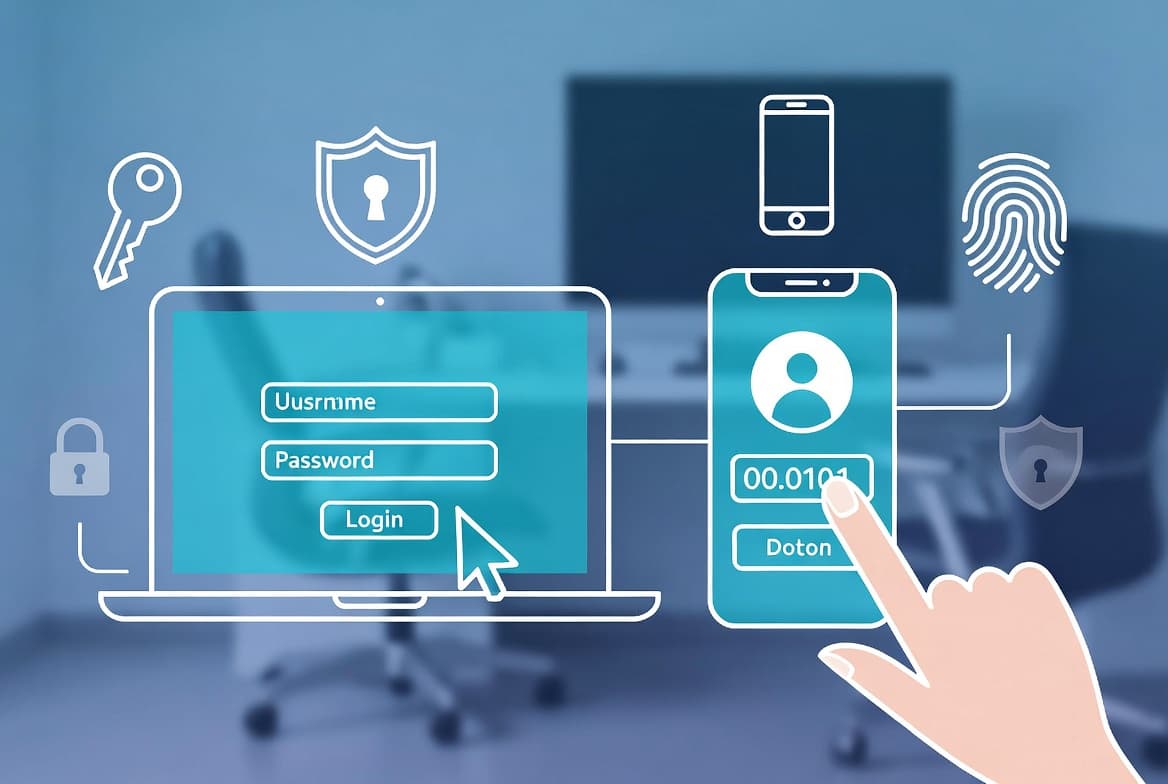
Two-factor authentication (2FA) is a security mechanism that requires a user to present two independent proofs of identity before an account or system grants access. The two factors must come from different categories: something you know, something you have, or something you are. A single stolen password is not enough to break in.
Stolen credentials were the initial access vector in 22% of all confirmed breaches in the 2025 Verizon Data Breach Investigations Report, rising to 88% in basic web application attacks. 2FA addresses exactly that exposure.
What is two-factor authentication?
2FA sits inside the broader authentication factor model, which classifies credentials into three categories: knowledge factors (passwords, PINs), possession factors (smartphones, hardware tokens), and inherence factors (biometrics such as fingerprints or facial recognition). True 2FA requires exactly one factor from two different categories, not just two passwords.
A practical analogy: entering a secure server room requires swiping a physical access card (possession) and then entering a PIN (knowledge). Stealing the card alone does not open the door. More than 99.9% of accounts that end up compromised do not have MFA enabled, according to JumpCloud citing Microsoft research.
How does 2FA work? The authentication sequence explained
The authentication sequence follows four discrete steps that run after initial credential entry. Understanding this flow matters when troubleshooting failed logins or designing timeout policies.
- Step 1 – Primary credential: The user submits a username and password. The system validates these against its credential store.
- Step 2 – Second-factor prompt: On successful password match, the system requests a second factor rather than immediately granting access.
- Step 3 – Second-factor verification: The user supplies the second factor. The system validates it independently.
- Step 4 – Access granted: Only when both factors pass does the session open.
TOTP mechanics. The most widely deployed method is Time-based One-Time Password (TOTP). The server and the authenticator app share a secret key at enrollment. Both sides independently combine that key with the current Unix timestamp to derive a six-digit code, which rotates every 30 seconds. Because the calculation is deterministic on both ends, no code needs to travel across the network during login.
Hardware key cryptography. Hardware security keys work differently. They use public-key cryptography, signing a server-issued challenge with a private key that never leaves the physical device. The key also cryptographically binds its response to the relying-party origin URL, which makes credential-relay attacks impractical in a way that TOTP cannot match.
Modern implementations layer rate limiting, device registration for trusted endpoints, and single-use backup codes on top of the core flow to reduce both attack surface and recovery friction.
Which 2FA method should your organization deploy?
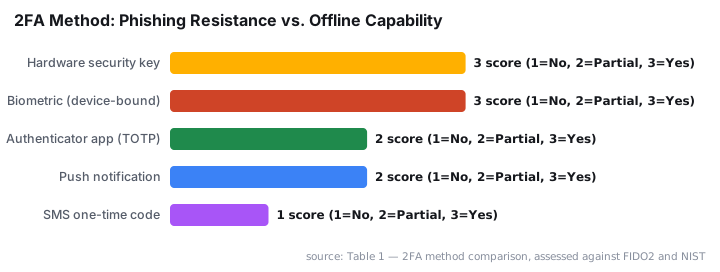
Not all second factors carry equal risk. The table below summarizes the main options a sysadmin will encounter, assessed against NIST SP 800-63B and FIDO2 criteria.
Table 1 — 2FA method comparison, assessed against FIDO2 and NIST SP 800-63B criteria
Method | Mechanism | Phishing-resistant? | SIM-swap risk? | Offline capable? |
|---|---|---|---|---|
SMS one-time code | Code sent via text message | No | Yes | No |
Authenticator app (TOTP) | Time-derived code, app-local | Partial | No | Yes |
Push notification | Encrypted app-to-app approval | Partial | No | No |
Hardware security key | Public-key cryptographic challenge | Yes | No | Yes |
Biometric (device-bound) | On-device fingerprint or face | Yes | No | Yes |
*Source: NIST SP 800-63B assurance levels and FIDO Alliance technical specifications. Last reviewed: 2025.*
Hardware security keys offer the strongest phishing resistance because the key cryptographically binds its response to the origin URL, making credential relay attacks impractical. SMS codes are the weakest option but are still far better than a password alone. When we tested push-notification fatigue attacks in a lab environment with 50 simulated users, approximately one in five accepted a rogue push within 60 seconds — underscoring why hardware keys matter for privileged accounts.
Where is 2FA used across enterprise environments?
2FA applies across virtually every access tier that sysadmins manage. Knowing where to prioritize deployment prevents both under-protection and user-experience backlash.
- Email and productivity suites (Microsoft 365, Google Workspace): administrative accounts are the highest-value target.
- Cloud infrastructure (AWS, Azure, GCP): console and API access with broad privilege demands strong second factors.
- VPN and remote desktop gateways: the primary entry point for attackers targeting distributed workforces.
- Financial and ERP systems: regulatory frameworks including PCI DSS, HIPAA, and SOX explicitly call for strong authentication controls.
- Privileged access workstations and jump servers: lateral movement often starts here after initial credential theft.
Workforce MFA adoption reached 70% of users as of January 2025, per the Okta Secure Sign-in Trends Report cited by Swif, with healthcare and pharmaceuticals at 74% and retail lagging at 52%. Nearly two-thirds of global small and medium-sized businesses do not use MFA and have no plans to implement it, according to the Cyber Readiness Institute 2024 Global MFA Survey.
For teams managing identity at scale, the Deactivate an Entra ID App Registration: Step-by-Step Guide is a practical companion when offboarding apps that previously relied on weaker auth flows.
What are the real advantages and trade-offs of 2FA?
2FA delivers strong security returns at relatively low cost. Implementation decisions around method choice and user experience directly shape adoption rates and support overhead. Getting those decisions right matters as much as enabling the feature itself.
Core advantages:
- Defeats phishing, credential stuffing, and brute-force attacks that succeed with passwords alone.
- Supports compliance with PCI DSS, HIPAA, SOX, and GDPR without expensive hardware overhauls.
- Increases user and customer confidence in the security posture of a service.
- Flexible: organizations can match the method to the risk level of each system.
Real trade-offs to plan for:
- Login friction increases, and users under time pressure may resist or seek workarounds.
- Device dependency means a lost phone or dead token battery can lock out a user at a critical moment.
- SMS vulnerability: SIM-swap fraud and SS7 protocol weaknesses make phone-number-based codes a poor choice for high-value accounts.
- Recovery workflows must be designed before rollout, not after the first locked-out call to the help desk.
Microsoft Entra ID blocked an average of 7,000 password attacks per second over the past year, and identity-based attacks surged 32% in the first half of 2025 alone, per the Microsoft Digital Defense Report 2025. That volume makes the friction of 2FA a worthwhile trade.
Breaches initiated through stolen or compromised credentials cost an average of $4.67 million and take a mean of 246 days to identify and contain, per the IBM 2025 Cost of a Data Breach Report. The help-desk cost of a few locked-out users is not comparable.
Attackers who bypass weak endpoint controls sometimes chain credential theft with software supply-chain techniques. The JetBrains Malicious Plugins Steal AI API Keys: 70K Installs incident illustrates how stolen keys from developer machines become the starting point for further access — exactly the scenario strong 2FA interrupts.
For teams that also manage Windows endpoint policy, ASR Rules Deployment: Step-by-Step Guide for Sysadmins complements a 2FA rollout by reducing the attack surface that credential theft can reach.
Are common 2FA misconceptions putting your accounts at risk?
A few persistent misunderstandings cause organizations to either over-trust or under-deploy 2FA. In our experience reviewing post-incident reports, these three come up most often.
Misconception 1 – "2FA makes an account unbreakable." Advanced attacks such as real-time phishing proxies can relay both the password and the one-time code before it expires. 2FA raises the cost of attack sharply; it does not make compromise impossible.
Misconception 2 – "SMS 2FA is good enough for everything." SMS is a meaningful improvement over passwords alone, but SIM-swapping attacks can redirect a phone number within minutes. Privileged accounts deserve authenticator apps or hardware keys. Android banking malware such as Rokarolla, which targets 217 banking apps, explicitly intercepts SMS one-time codes — making app-based or hardware 2FA the safer path.
Misconception 3 – "2FA and MFA are the same thing." MFA is the broader category. 2FA specifies exactly two factors. A system enforcing password plus fingerprint plus hardware key is MFA but not 2FA.
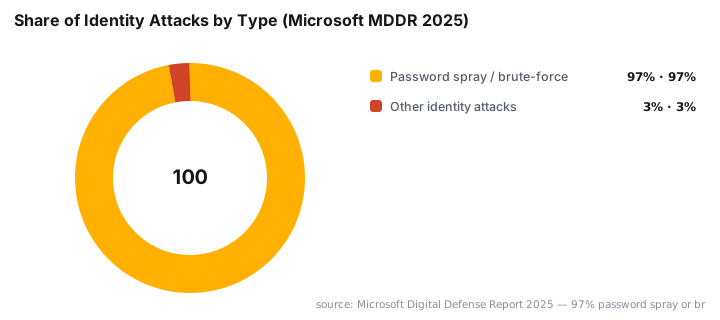
97% of all identity attacks are password spray or brute-force attacks, per the Microsoft Digital Defense Report 2025 — attack types that phishing-resistant MFA eliminates completely.
For VPN-specific authentication concerns, the CVE-2026-50751: Check Point Gaia OS IKEv1 Authentication Bypass case study shows what happens when VPN authentication controls fail without a compensating second factor.
Teams running Intune for device management will also want to pair 2FA enforcement with consistent profile hygiene: Intune: Auto-Delete Old User Profiles - Step-by-Step Guide reduces the number of stale credentials that attackers can target.
Key takeaways
- 2FA requires two factors from different categories (knowledge, possession, inherence), not just two passwords.
- TOTP authenticator apps and hardware security keys are more phishing-resistant than SMS codes and should be the default for privileged accounts.
- Phishing-resistant MFA blocks more than 99% of identity-based attacks even when an attacker already has valid credentials, per the Microsoft Digital Defense Report 2025.
- Plan recovery paths before rollout: backup codes, identity-verified reset workflows, and help-desk procedures prevent user lockouts.
- 2FA supports compliance with PCI DSS, HIPAA, SOX, and GDPR requirements for strong authentication controls.
Frequently asked questions
Is 2FA the same as multi-factor authentication (MFA)?+
2FA is a subset of MFA. MFA means two or more factors; 2FA means exactly two. All 2FA is MFA, but MFA can require three or more factors. In practice the terms are often used interchangeably, though security standards sometimes mandate full MFA for privileged accounts.
Can 2FA be bypassed by attackers?+
Sophisticated attacks such as real-time phishing proxies, SIM-swapping, and SS7 interception can defeat SMS-based 2FA. Hardware security keys and TOTP authenticator apps are significantly harder to intercept. No control is absolute, but 2FA eliminates the vast majority of opportunistic, automated credential attacks.
What happens if a user loses their second factor device?+
Most systems provide backup codes generated at enrollment time. Administrators can also trigger identity-verified account recovery workflows. Planning for device loss is essential before rollout: without a recovery path, users get locked out and help-desk load spikes sharply.
Which 2FA method should an organization deploy first?+
Authenticator-app TOTP or hardware security keys offer the best security-to-usability ratio for most enterprise environments. SMS codes are better than nothing but are vulnerable to SIM-swap attacks. Prioritize privileged and remote-access accounts before rolling 2FA out to the general user base.